Portal 2
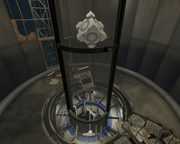
Departure Elevator with Debris
This is a departure turbine elevator with several options: The ability to toggle junk to fall down the elevator tube before the elevator arrives. The ability to trigger the lights in the bottom of the elevator tube to flicker on and off as seen in some official maps. The ability to toggle the PTI vote screen. The ability to toggle the game to go to the main menu. If you use this instance I would appreciate you crediting me for the use of it .

RB-TAM update 23
RADELITES BEE 2 ADDON MOD What is Rb-tam? Rb-tam is a mod made to add many of the more unique testing elements you might have seen over the past few years in custom maps. From paint guns to portal detectors and many more amazing elements that I have found created by fellow users like yourself I have collected them and worked with many awesome mappers to give you a mod that lets you use their amazing items in your very own peti editor(with quite a few of my own items of course. How do you use this mod you might ask? Its very simple, all you do is install bee 2(it can be found on this website) Then download this and follow the embedded instructions Have fun, also thanks to all you awesome people who were kind enough to share your creations to be incorporated in this mod. When you create an AWESOME map with this mod make sure to copy this hashtag inside your description of your map #RB-TAM link to a collection of simple maps made with my mod for bee2http://steamcommunity.com/sharedfiles/filedetails/?id=202463960 -planned updates- While I cannot update items in the mod at this time I do plan to make a webpage for the mod and maybe add an eh little treasure hunt eheh. Also plan to create new icon for mod.

PDMOD
THIS IS A PORTAL DETECTOR MOD FOR THE PeTI EDITOR Created by Me (radelite) and BOB74j aka (brainstatic) This is not yet compatible with any-other mods but it is fun here is a link to one of the maps made with the earlier form of this mod http://steamcommunity.com/sharedfiles/f ... =178598821 The new form has better placement then the older one Have fun mapping
L-Circuits
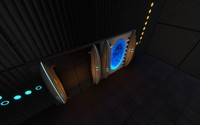
This map makes full use of a new puzzle mechanic of self-activating lazers. It comes in 3 rooms, The first is a training room, (with a deceptively simple solution) and the last two will really work your brain with multiple layers of delicious lazer-related puzzles like a huge.... sandwich.

Pentagramme v 1.1
Difficulty : Hard Time : 20~60 min Good Luck & Have Fun !!! P.S : Solution : http://www.youtube.com/watch?v=-Y2CUfXC ... e=youtu.be
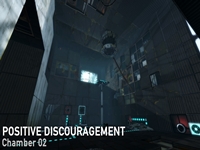
Positive Discouragement - Chamber 02
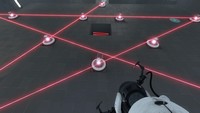
"Positive Discouragement" is a small map pack that I'm working on. I decided that I might as well upload this to TWP, instead of having it sit around on my computer until I finish all the maps, but I'm not going to upload it to the Workshop until they're all done. So for now, you'll have to do it the old-fashioned way! ====== This chamber was originally going to be the third chamber, however due to some redesign on the second chamber, I deemed this one less difficult, and moved it back into the #2 spot. (It isn't really that difficult anyway - it's just an intro to the laser chaining technique). At this point the facility is starting to become cleaner, so it's less destroyed than Chamber 1, but more destroyed than Chamber 3.
The 3D skybox models thread
So you wanted to make a 3D skybox for your Portal 2 map, browsed for skybox models but didn't find any and now you are disppointed. Don't be! This zip-file contains some skybox models that could get you started. Copy the contained folders into the model folder. You can create your own skybox models from the existing models in the game without any modelling experience when you follow these tutorials: 1. Decompile the model you want, as explained by Skotty here. 2. Rescale the model as explained in this tutorial on interlopers.net 3. Compile the new model following Josepezdj's tutorial here. If you do so, let me know via PM or upload the file attached to a reply in this thread and I'll add your models to the zip-file.

A1_awake
WIP 1st level - destruction tileset.

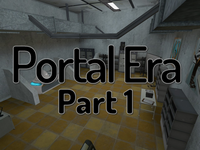
Portal Era : Part 1
Hammer Adventure Final Version -- Medium Difficulty -- 10-20 min - Autosave =============== Story =============== Place : Aperture Center Year : Unknow You wake up in a strange room, without portalgun. Try to escape this place and find a way to the surface ! =============== The Trophies Quest =============== They are 4 Trophies in the level. Will you find all the hidden trophies ? -- You can DOWNLOAD it from the workshop : http://steamcommunity.com/sharedfiles/filedetails/?id=112260778 -- The walkthrough and the pictures are on the workshop -- Please keep on noticing the bugs and problems you encounter. -- "Portal Era : Part 2" is out !!! -- "Portal Era : Part 3" is comming soon... -- Have Fun !!