Portal 2
Anglelasers
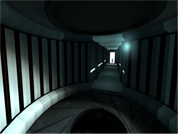
This room teaches you a new way to handle reflectorcubes. It will be a gate to some more difficult puzzles involving this mechanic. Its purely a mechanic teaching testchamber, so dont expect a devilishiously complex puzzle. (yet)

Jakiller Maptest V3
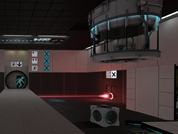
contains: Gels Blue and Orange(and water) Lasers Cube and button Excursion funnel Sreenshots: http://cloud.steampowered.com/ugc/54064 ... 203EBF39D/ http://cloud.steampowered.com/ugc/54064 ... C0E59F650/ Have fun !!
DoubleTake
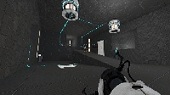
Challenging map that i have made for the mapping contest hope you enjoy Changelog: v2.2 -somehow the 2nd box dropper didnt drop what it was supposed to. but ive talked to the box dropper people, and lets just say that problem wont be happening again v2.1 -exactly the same as v2.0 but i forgot to add the things needed for the contest :S v2.0 -added more puzzles -fixed places where you could get stuck -made various puzzle elements easier to understand v1.1 -fixed problems where you could get stuck -got rid of light bridges -changed the name! v1.0 -first release
The Pitt - 01
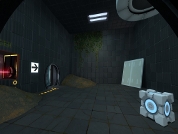
This is my first ever map I've made for any game. It's basically a Turret killing frenzy map with tons of explosions lasers and places to die or be shot a million mph into the air. BUGs, sometimes the "Pneumatic Diversity Vent" will fling you into a wall or to your death. Fixed: 1 of the cubes was getting covered in bounce gel if you wait to long in the tunnel. (this was unintended) Enjoy!
The Room (Precision, Timing, and Solving)
UPDATED for competition! v2 should be a more interesting play. This intentionally awesome title gives very little away, and leaves all the surprises of THE ROOM for the player to experience. It is worth mentioning that the idea for this map came from: (1) having the player start at what looks like the end, (2) making the player navigate backwards through testchambers [which appear partially solved], and (3) having the player get to what should be the "beginning", and then solve his/her way to the end. [Thus, some portions have much activity going on, and part of the challenge is to determine which puzzle element belongs to which 'direction.'] There is an emphasis--at times, without making it too difficult--on precision and timing, but I'd like to think that The Room is as satisfying, if not more, to figure out. Note: the file that I am submitting for the competition is 'the_room_v2.rar'. The other file is the original one I had included to be playtested, which will still remain--but it is NOT my official submission. If necessary to avoid confusion, I will take it down. EDIT: I must have uploaded the new file to REPLACE the old file. For anyone interested, the old map can be found at: community-releases/the-room-t2984.html

Thinking With Stupidity
Description: A small chamber containing two puzzles. One test is based on momentum, the other one is assessing your wits. Think with portals, not with stupidity! Misc: If you want to listen to everything GladOS has to say, make sure to fizzle both cubes at least once. There's a secret, too - can you find it? Theme: Destroyed Aperture Voice Over: Glados Samples (unused & used) Recent Fixes: - A fix has been added to prevent players from finishing the second puzzle using an unintended method. - More details (cosmetical) - A fix has been added to prevent players from trapping themselves by throwing the cube on top of the glas box - Added indicator light for the laser - Added two signs to hint at what some elements actually do - Added some env effects so that some puzzle elements can be found quickly - Fixed an issue with area portals glitching out on lower shader settings - Added a small surprise at the end of the map
Massive Tutorial Level - v 1.1
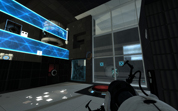
Hi, this is my "second" map. I want to make REALLY BIG map and "teach" you things from walking & jumping to cube-throwing. CHANGELOG: Verison 1.0 - Basic Walking - Jumping across the barriers - Jumping across the pit Version 1.1 - Added lights - Fixed toxic water - Added start of second chapter - Some texture-problems - Optimalization - Effects - First "easy" puzzle with cube and buttons - "Ending" Version 1.2: - Working in progress CREDITS: Design - Honzas4400, life28 Music - Valve Corporation Map Maker - Source SDK (Portal 2 Authoring Tool) Map Help - life28 Coming Soon: - Effects Hope it will be good map

dd_map1
Horrible name, yes. I'm not that good at naming things. It was meant to be harder, but I'm apparently not too good at making puzzles.
Breakdown
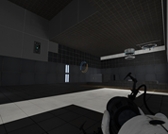
The main idea with this level is to have a broken test chamber which can only be solved using some unorthodox mechanics which weren't used in the main game. Feedback on any aspect of the level would be greatly appreciated! V1.1: Made the level fade out and disconnect at the end. Fixed an area where you could get stuck and have to restart the level. Added a fizzler to the exit elevator. V1.2: Fixed up cubemaps. Added VMF source to zip file.
Unique Styled Map
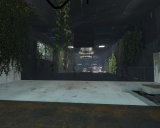
A very short map. My attempt at a unique style for a Portal 2 map, using world portals in a pretty cool way. [Updated, made longer]