Portal 2
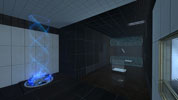
Proof of concept AFP fire on button press.
Just a quick proof of concept.


Minimalist
First attempt at a true puzzle. Single room. Comments and critique welcome. V 1.1 Removed Side armetures, added full plate glass for prevention of bypassing mechanics. Lowered Far well to prevent premature portal placement. Moved End map trigger away from door, and removed portal wall next to door to prevent premature end game triggering.
Discouragement Chamber #9
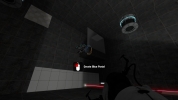
v4.1 - Visual tweaks. v4 - Tweaked the crusher timer. Moved turret. Added signage. v3 - Made quite a few changes after everyone's comments. Removed a lot of the voice acting. Removed the "monitor". Was sometimes to confusing. Will try to find a better use for this in another map. Faith plate area is done in a completely different way. Not as hard as the fly by and shoot. v2.1 - Forgot to add fizzlers to the water. v2 - I think I've addressed all the issues that everyone have run into. Keep letting me know if you find any more problems.
sp_prodigy_chamber1
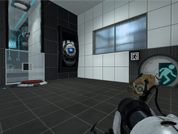
This is the first part of a series to come and is still not finished. In-Game you will see that part "01" is complete. When you get back to the starting room and the portal to "02" is half-opened - then you're done! Here are some screenshots: http://dev.pro.digy.eu/wp-content/uploa ... _00001.jpg http://dev.pro.digy.eu/wp-content/uploa ... _00004.jpg http://dev.pro.digy.eu/wp-content/uploa ... _00006.jpg http://dev.pro.digy.eu/wp-content/uploa ... _00008.jpg These are partly outdated, but it's a preview, isn't it!? ! SPOILER WARNING ! Here is a walkthrough for you guys not making it to the end: http://www.youtube.com/watch?v=ZDqPnp6C_P8 Have fun playing!
Gotta Go Fast
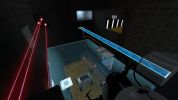
My first map! Updated to be slightly more devious, with new puzzles.
Deceptively Easy
This is a quick (roughly 10 seconds long) map that I made using various tutorials as I learned how to use the Hammer Editor. The idea behind the map is to make you think of how to reach the door. The map consists of a single room, with various "opportunities" to reach the other side. You can try your best, but the answer to this puzzle is quite simple.
2 Cubes
This is an updated, much clearer version of my first level. Not that great but it was my first try.
2 SP maps [sp_t2 , sp_t3]
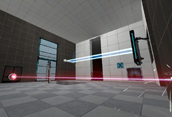
New test chamber is sp_t3 . I include my previous map because now they combined (sp_t2 have elevator to sp_t3) and sp_t2 (revision 5) have many bug fixes and small changes. So if you don't complete sp_t2 , start with it , else go on sp_t3.
![2 SP maps [sp_t2 , sp_t3]](/downloads/screenshot/thumbnails/541_2011-06-05_006001.jpg)
Nighter's First Work
I kinda suck with the hammer editor, but I got something that works, and is almost exactly what I wanted. I've wanted to make this map since the first Portal, but never got around to it. Please no No-clipping or opening it in the editor, its not pretty. I will upload a play through video later after I sleep then go to school.
Funnel Fling
This is the first map made by myself and Jeffel5005 It features an emancipation grid, an excursion funnel, and momentum!