Portal 2
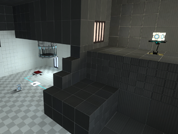
Playing With Spheres
My first attempt at making a level with Hammer. Not the prettiest, but I hope the puzzles are somewhat interesting! This is more a test of reaction, puzzles aren't really too tough. Please leave any bugs or problems you may find and any constructive feedback is greatly appreciated! Thanks! UPDATE 5/30: Hopefully fixed the major issues, added some tweaks.
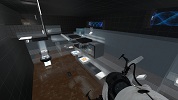

Co-op Mind Lock
This is my first map ever, and I made it to test my skills and yours. This is a fairly hard map to figure out, so if you and your partner are looking for a challenge then this is the map for you. Special thanks to my test dummy XIRES. Play instructions: Unzip the map from the archive and place in your Steam/steamapps/common/portal 2/portal2/maps folder. Both players have to downloaded the map. Start a normal co-op game and whoever is hosting (the Blue Robot) type in "changelevel mp_coop_mindlock" in the console (which is activated by the ` key under ESC. If you find any bugs with the map, or need help figuring it out then let me know. P.S. When you complete the map, it wont stop loading, so just exit out to the lobby. I have finally updated this map, and fixed the problems with it. May 27, 2011.
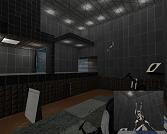
Co-op New and Old (Big Update!)
this is a relatively easy map and its comprised of 2 chambers. the 1st being of the modern feel and the 2nd being the run down type. hence the name "new and old" Update Notes V1.4 Fixed several Exploits Update Notes V1.3 FIXES: Fixed the bug where when standing on the button in the 1st chamber an invisible wall would block your path Fixed the bug where in the 1st chamber if you picked the cube back up off the button and were standing next to the retractable wall you would get stuck behind it. Fixed an exploit in the 2nd chamber Added: Added directional signs in the 1st chamber to give a little more direction. Added Texture variation in the 2nd chamber. Changed the puzzles in Chamber 2 to make it more challenging and not as repetitive. Added a function in the 2nd chamber where once you get the cube past a fizzler, the fizzler will shut off. so if your on the last segment of the cube sharing portion and you lose the cube, you dont have to do all the puzzles over again. Fixed the Textures issues that were present in the 1st chamber. Added a number of smaller tweaks. screen shots: http://i222.photobucket.com/albums/dd20 ... -59-85.jpg http://i222.photobucket.com/albums/dd20 ... -01-79.jpg http://i222.photobucket.com/albums/dd20 ... -49-25.jpg http://i222.photobucket.com/albums/dd20 ... -18-85.jpg http://i222.photobucket.com/albums/dd20 ... -11-61.jpg the included Script file is for when you finish the level it will take you back to the HUB world. This is my first attempt at getting back into modding since the cod2/4 days. so any feedback is greatly appreciated.
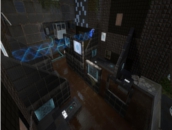
Le Hardlaser Level 1.5
LAG HAS BEEN FIXED! A somewhat hard level with mainly lasers. You have your cubes, a room and your lasers. Not fancy or anything but its a puzzle that probably will make you think a bit. Now go solve. Contains 3 chambers, tractor beams and light bridges. Screenshots http://i.imgur.com/s9O2z.jpg http://i.imgur.com/10DtM.jpg http://i.imgur.com/dNokr.jpg PM me or post in topic if you: - Want the solution - Found a bug or glitch - Want to give some feedback Thank you for trying it out. : ) Spoilers (Solutions - ONLY LOOK AFTER PLAYING IT) Chamber 2 - Puzzle 1 - http://i.imgur.com/fdZtU.jpg Chamber 3 - Puzzle 1 - http://i.imgur.com/hijBH.jpg Chamber 3 - Puzzle 2 - http://i.imgur.com/7tkw3.jpg Chamber 3 - Puzzle 3 - http://i.imgur.com/XfpDR.jpg Video Walkthrough (Thanks to MatrixBandit!)(SPOILER VIDEO): http://www.youtube.com/watch?v=IkXsm-BW ... ideo_title Known Bugs: - Cubes can be glitched to float mid air (out of my control) 1.5 - Lag has been fixed. To make it work I had to set all the lasers off and individually activate them after the game started via triggers.. I don't know why this fixed it but it did.
Distractions
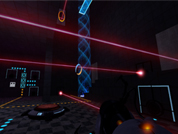
My first map. You're in a single room with the exit behind three lasers attached to three buttons. Three weighted cubes, three buttons, but each puzzle isn't what it seems to be.
Interruption
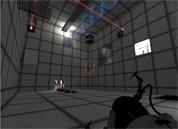
A simple puzzle with a bunch of environmental effects and cinematic-like sequences - my first map. Updated to stop you from avoiding the end by hiding in the door, and made it automatically load the next map ("Destruction") if it is downloaded.
Bottomless Endeavor
First attempt at mapping anything but generic boxxes. Very much a work in progress, but im interested to see what (if any) feedback I get.

Don't Make Lemonade
My second community release ! 19XX aperture is my favorite theme visually, but mapping it poses a real challenge. The gameplay is very Portal 1 esque, with no real new Portal 2 elements. Anyways, I hope you enjoy this map! Screenshot: http://img638.imageshack.us/img638/8181 ... hotrts.jpg EDIT: -More indicator strips and arrows -Made the platform to the second part of the map easier to see -Player can no longer take the cube with them to the second part -Polished up some areas
Hallway
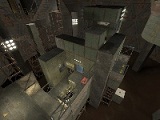
A small map with 2 test chambers . The 2 players are seperated until the end and have to help each other get through their separate rooms.

Cube Collecter
This is my very first map that I have ever created in any sort of mapping program so haters are gonna hate. For my first map it's actually fairly good. The object of this test chamber is to collect the 3 weighted storage cubes so as to open the exit door. It's fairly simple really.