Portal 2
Fighting Entropy
MAP IS RELEASED! GO HERE TO DOWNLOAD: Fighting Entropy This is a map made in the reconstucting and bts themes. I feel that the map is almost complete, but I'm a bit worried about the file size and the entdata which is very full (over 200%). The map runs well for me, but if others have problems with it I might need to split it in two parts. I also think the map needs some more playtesting before I can release it. changelog beta2 -changed last button in final test so it's easier to complete the test properly -minor fixes beta3 -removed some hallways and added more dialogue -increased details in bts area -more minor fixes


Biohazard
Note: Some of you might be unable to open the ZIP file. In this case it is advised to download 7-Zip and use that to open the file. The ZIP file uses LZMA compression which isn't supported by all of the archive managers. Four chambers and an easter egg puzzle. Can you solve your way through the Left Wing Facility? Easter Egg Hints: - There is a puzzle element that you have to carry with you to one of the rooms. - Check your spawns. Something might be hidden from the eye there. - A modest award awaits.... I think.. Go for it!
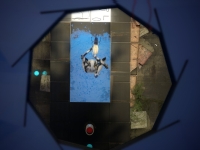
Alternative #3
RELEASE DATE: 12.10.2012 WATCH TRAILER: http://youtu.be/1D96H_sElGQ Maps in valve style(i hope), medium difficult. Thx for playing my maps ;]
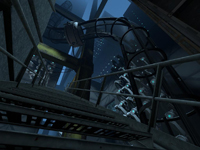
Binary_Cube
inspired from the movie Cube difficulty: Hard
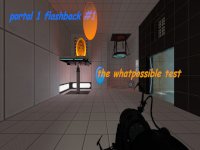
the whatpossible test (portal 1 flashback)
this is my first non-testing map in hammer, and i would like to know what you can see, like the box dropper, or the piston pits.
Water Temple
This is a full scale recreation of the Legend of Zelda: Ocarina of Time Water Temple dungeon. You can find my first installment of the series here: Forest Temple I sought to make the map accessible all Portal2 players, whether they've played the original OoT dungeon or not, so as long as you can think your way through some portal puzzles then you can enjoy this map -- or maybe despise it as memories of losing your way through the watery depths come rushing back. Here's my full run through of the map. But don't watch it. At all. For any reason. Especially that reason. You know the one. http://youtu.be/DuXDBZlWNzE Pro tips: - The compass's tracking abilities can be deterred by forces of great evil. Specifically, the compass will point to the first 4 keys, then stop working until the evils of the world are vanquished. Then the compass will function once again. - The item dropper in the center room will return any destroyed cubes, reflector cubes, companion cubes, or compasses
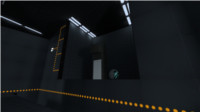
Gravity Gun instance v2
Place the instance called gravity_gun_automatic.vmf in your map to use. press and hold secondary fire to pull and carry, press primary fire while holding to launch. See the readme for better a better description EDIT: All cubes, paint bombs, and combine balls can be carried now! EDIT: very few glitches now! The only know glitches are the occasional messup on map spawn which can be fixed by reloading, and the ability to shove things under the floor and past doors, but this can be prevented with fizzlers and triggers that send a forcedrop output to the gravity gun. EDIT: Now with particle effects and other awesomeness!
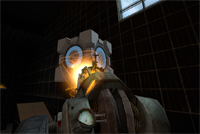
The Scientific Basis (medium)
Hello all Portal 2 Fans and Casual players..... It came to my attention i kind of stopped doing maps a while ago, so i had this nice map i didn't finish, so the last week i have finished it, i hope you all like it and rate it. and as always all comments and videos of playing my map is welcome This map is a 3 chamber puzzle, team work is key in this map... so please i hope you all have fun and enjoy my map, thanks LuckyRJ
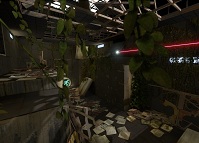
Project Serenade
Project Serenade is the WIP pre-release of my upcoming Water Temple map. Some of you may remember my previous Legend of Zelda adaptation Forest Temple I wanted to upload this as a WIP to hopefully catch some bugs and get some feedback before releasing the full map. Let me know what you guys think, is the place confusing, are the puzzles hard enough, etc. Things that are not done: - Textures and lighting - The Dark Link encounter - General cosmetic touches - Pesky conveyor belts Things that are mostly done: - Portalable surface locations. I'm watching for exploits, particularly with tractor beams - Most of the puzzles, although some changes may still be made Things that are definitely done: - General structure of the map (I won't be adding rooms or breaking things up) Known issues: - Some elements stop working after dying and reloading, including (but not limited to) tractor beam blocks not moving and particle effects not appearing. Needs further investigation - One of the locks can be circumvented, leaving 1 surplus key. This was actually true in the LoZ dungeon, and as such I won't fix it
Botball
Botball is a competitive game inspired by Halo Grifball. The game consists of rounds where each player attempts to get the ball into the opponent's goal, which earns them a point. A round begins when each player is inside of there own goal.To end the game both players must stand near exit door.
