Browse Downloads

Recently active files on the download database.

Faith-Plate-Cube
Uploaded by Skotty · Dec 05, 2011
12 comments · 5.0 (2)

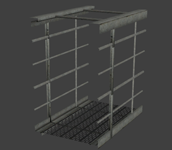
This is a Faith Plate in a Aperture Cube, requested by Soundlogic. In this pack you got the model (uses already existing materials) and an instance for good use. The model itself has 4 animations and normal physics (I recommend to use the instance/use it as parent to a normal cube). The animations are: idle sprung (jump, up and down in one animation) -> sound included hoch (up) -> sound included runter (down) The instance itself allows you to set the distance of the target point from the cube center (because it uses a trigger_catapult), the physics and player speed. Inputs are Autofire enable and disable, means autocatapult enable and disable. You can use, while being disabled, the Fire input to let it catapult.

Faith-Plate-Cube
Advertisement
Registered users don’t see ads! Register now!
[Coop] Space Gardens
Uploaded by Fluppy · Apr 05, 2012
60 comments · 5.0 (47)

The "Space Gardens" mappack takes place on the moon in the facility known as Creative Futures Space Gardens (CFSG). Activated by SIMBALD, you'll play as the robots with the task of activating the facility's main water pumps. 6 challenging test chambers, new test elements and plants await you on the moon! To install and play: 1. Extract everything from portal2 folder to your Portal 2 folder (Steam/steamapps/common/portal 2/portal 2). 2. Be sure that your co-op partner extracted everything too. 3. Type "snd_updateaudiocache" into the console and press Enter 4. Start a co-op game. 5. Type "changelevel mp_coop_cf_space_gardens" into the console and press Enter 6. Enjoy the game! ------- Change log: 1.1 Added easter egg to lobby Both players should hear songs now Edited something in chamber 2 Fixed panel bug in chamber 4 Added overlays to chamber 4 Fixed unintended solution in chamber 5 Various bug fixes 1.2 Fixed some unintended solutions in the last map Removed player clip from stairs (enjoy falling down!) Added music to 4th chamber 4th chamber now has 2 separate buttons (thanks Insomnautik!) Various bug fixes / changes in design ------- Special thanks to: Gig - betatesting, puzzle design Strnadik - textures warnightify - ideas chickenmobile - scripts, awesome lobby That Greek Guy - betatesting Pitkakorva - help geoffegg - speech and many others! Don't forget to rate this mappack and write your opinions to map's thread after you finish the game!

[Coop] Space Gardens
TLFS: Custom Hotel intro scene.
Uploaded by Sejievan · Apr 25, 2013
3 comments · 5.0 (1)

Do you want a quick way to make a wake up scene in your map? download this file of the hotel wake up scene used in the map "The lone future-starter". The file contains: A vmf with the Hotel wake up room (interior and exterior). A bsp for you see how it is compiled. =)

TLFS: Custom Hotel intro scene.
Alone Escape
Uploaded by TheTobbell · Aug 12, 2013
7 comments · 5.0 (5)

Difficulty: Easy Map Size: Large Map Type: Clean & BTS _ So, I have finished my first map. You start first with normal tests and ... I wont tell more Inn this map are 3 secrets, do you find them all? ^^ Some areas of this map dont look so good, that's because in some areas I had not much experience, but some another areas are looking much better. In Future i will make my maps better, i swear So have fun, and feedback is welcome. (= (Sorry for some lags cough, but the map is completely playable)

Alone Escape
Co-op Mind Lock
Uploaded by baca25 · May 25, 2011
37 comments · 3.2 (14)

This is my first map ever, and I made it to test my skills and yours. This is a fairly hard map to figure out, so if you and your partner are looking for a challenge then this is the map for you. Special thanks to my test dummy XIRES. Play instructions: Unzip the map from the archive and place in your Steam/steamapps/common/portal 2/portal2/maps folder. Both players have to downloaded the map. Start a normal co-op game and whoever is hosting (the Blue Robot) type in "changelevel mp_coop_mindlock" in the console (which is activated by the ` key under ESC. If you find any bugs with the map, or need help figuring it out then let me know. P.S. When you complete the map, it wont stop loading, so just exit out to the lobby. I have finally updated this map, and fixed the problems with it. May 27, 2011.

Co-op Mind Lock
Underground Timer
Uploaded by ChickenMobile · Aug 26, 2011
13 comments · 5.0 (3)

This is an instance of a robust underground timer. This timer can count up or down from 1 - 99 seconds. underground_timer_counter.vmf The $UnEvent_Relay parameter is the event that is fired when the timer has stopped counting. This event should be triggered in one of the clock instances. This instance is used for both buttons, however the buttons will determine whether it counts up, or down. underground_timer_but_countdown.vmf $time_units is the number of seconds of the unit column $time_tens is the value of the tens column (This is the only way I could figure this out for the countdown timer without adding some sort of script.) The $Event_Relay parameter is the event that is fired when the timer has started counting. This event should be untriggered in the clock instance. Please note: I have added entities that will work out the number of seconds the counter needs to count down from $time_units and $time_tens, hence the large amount of logic_cases underground_timer_but_countup.vmf The $Event_Relay parameter in the 'Timer instance' is the event that is fired when the timer has started counting. This event should be untriggered in the clock instance. The $time parameter should be set to how many seconds it should count up to Known Bugs: Putting both 0 and 0 for the left and right number icons will cause a rip in space, however this shouldn't happen as you wouldn't want a 0 - timed counter How to place in your map: Create a func_instance and change the vmf path to "underground_timer_counter.vmf" Name this instance Create another func_instance and then change the path to one of the button paths (either underground_timer_but_countup.vmf or underground_timer_but_countdown.vmf depending if you want it to count up or down) Set the button's fixup name value to the same of the counter instance If you are using the countup instance, put a number value for the replace value $time to how many seconds you want the counter to count up to If you are using the countdown instance, put the individual values with each a 1 digit number which will represent your double digit number. e.g. "$time_tens 1" and "$time_units 5" will make the timer count down from 15 Using the $Event_Relay replace value in your button, make it point towards a logic_relay which will trigger the event when the counter starts. This must include the name of the prefix PLUS the name of your relay otherwise it will not work. e.g. clock_1-TRIGGERNAME (This is the name of your relay outside the instance) Using the $UnEvent_Relay replace value in your counter instance, make it point towards a logic_relay which will un-trigger the event when the counter stops. Same as the button's relay this MUST INCLUDE the prefix fixupname as well as the name of your relay. e.g. clock_1-UNTRIGGERNAME (This is the name of your relay outside the instance) Enjoy the use of an underground timer... WOOOT If you are having trouble... Please do not hesitate to ask for any help either through a PM to myself or by posting a comment inside the instance thread.

Underground Timer
Portal Detector Instances
Uploaded by GLaDOS · Sep 17, 2013
0 comments · (No ratings)

These are the portal detector testing element instances used for Discouragement Fizzler and Gel Trampoline, two maps of a scrapped map pack. Just unzip and place in Portal 2\sdk_content\maps\instances.

Portal Detector Instances
Filtered Testing
Uploaded by portal2tenacious · Aug 03, 2013
15 comments · 5.0 (4)

A three test map in a destroyed theme with Wheatley observing your tests. The puzzles were originally created by Imanex, Waqlerg, and L1zardr0ckets. The music was created by Powerpunchclan and Morgoth. Custom fizzlers by LPfreaky90 and FourthReaper. I had a lot of trouble uploading this to the workshop, so I figured I'll upload it here and call it a night. Comments and unintended solutions are appreciated.

Filtered Testing
[SP] Overgrowth
Uploaded by slowdevelopment · Jun 01, 2011
29 comments · 4.8 (31)

Hey, This is a test chamber I'm working on for the Summer Mapping Initiative. I'll be updating it up until the contest deadline; if people want to give me feedback on it, try to break it, etc. I'd appreciate it! Also, if you know how to use the record demo console command in Portal 2 and want to send me the demo of your playthrough, that would be extra-useful as I want to see how people approach solving stuff. Changelog: v0.1 - first version of map v0.2 - made stairway on third level more noticeable, added convenience for returning to lower levels from the end if cube needs to be repositioned, added foliage, made water at base of testchamber transparent, various minor graphical tweaks, added glados line v0.3 - fixed portal alignment issue at top of chamber, fixed brushes that could have interfered with box dropper entities, lowered box dropper and made box target into convex displacement map to reduce the likelihood of it bouncing away v0.4 - put invis collision around top of drop from upper light bridge panel & adjusted platform spacing to prevent a way to break the puzzle; made final light bridge panel hidden until the player presses a button on the upper balcony, changed voices and music trigger timing, added another convenience portalable surface and closed off an unnecessary stairway to vary movement/pacing, various visual changes w/ ruined structures, foliage, fog settings and pfx v0.5 - made some more gameplay alterations to make movement through the chamber more interesting, improved lighting, updated vo, sound, and transition entities, did some optimization, added more func_details and props, pfx, etc.

[SP] Overgrowth
Advertisement
Registered users don’t see ads! Register now!
Worn out custom signage for destroyed maps
Uploaded by josepezdj · Sep 04, 2013
12 comments · 5.0 (1)

These are the custom symbols I made for my map "White Room (reMiX by josepezdj)". I thought some mappers could like them and maybe want to use them in their maps They are not all the symbols that Portal2 uses, but since I have them all in layers in a PDN file, I can make any of the rest if someone needs it. Just say here and I'll go posting those that ppl need! Default location By default I haave them into my folder materials/josepezdj/signage_wasted, so create a folder like this so your hammer editor load them on the fly. If you prefer any of your folders, just edit the .VMTs changing the line for the $basetexture... for example: - "$basetexture" "josepezdj/signage_wasted/jose_wasted_signage_box_button" by: - "$basetexture" "mysignage/jose_wasted_signage_box_button" Or you can even change the name of the .VTFs themselves and put their new name there in the $basetexture line... Any doubt about this or any help anyone need just let me know! Reference screenshot jose Change Log - v1.1 (2013.10.17) => Lowered the brightness in the alpha channel so that they look less bright in game. - v1.2 (2014.06.29) => Added the "paint_dispenser", "bounce_gel", "laser_catcher" and 4 dots per Tmas98 request

Worn out custom signage for destroyed maps