Browse Downloads
Recently active files on the download database.
[Coop] Abandoned Chamber
A forgotten chamber that's been left in dire need of some tender loving care. Though it may look painfully broken this test is still somehow functional just the cheeky wall panels have stolen the button cubes... Theme: Abandoned/Destroyed Elements: Tractor Beams, Buttons, Portal Motion/Flinging, Cooperation! Have fun and happy testing! Edit: A video walkthrough has been uploaded: http://www.youtube.com/watch?v=H4cisoKi ... ideo_title If anyone has had particular difficulty with this map, noticed any "glitches" or just has some feedback I would really like to hear it!
![[Coop] Abandoned Chamber](/downloads/screenshot/thumbnails/777_Abandoned%20Chamber.jpg)

[SP] diportals, One
One a diportals experiment ------ A short puzzle. It shouldn't take long to solve this one. --- Version history: 18th of May 2011: Initial testing release (diprt_laser_fizzler.bsp)
![[SP] diportals, One](/downloads/screenshot/thumbnails/461_diportals_one_thumb.jpg)
Co-op airlock instance.
This is an instance of the coop airlock. Since I cannot find where Valve has put this instance (or if they have included this instance with the Portal Authoring Tools at all), I decided to copy it, and make it into one for ease of use. Please note: That this is a Prefab of an instance and you have to keep all the files in the correct folders in the zip. To use this: click the entity tool, in the drop down menu to the Right, choose Prefabs and in the drop down menu below it, choose airlock The reason I made it into a Prefab is so then the instances automatically get named if you place another airlock prefab in. The only entity outside the main instance (straight in the prefab) is a logic_auto, that opens the front airlock door. - This will automatically change the airlock spawns to be the 'Active spawn'. - It comes with the parameter $airlock_success_relay which triggers when both players are in the airlock - It comes with the parameter $door1_hasOpened_relay which triggers when the first door in the airlock has opened. - It does not automatically call the script to make Glados speak when you taunt to the camera (This should be done in the coop_spawn instance). Feel free to download and put in your map!
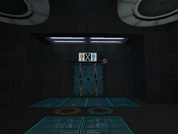
[WIP] Abandoned
Thought I'd go for something different. I'm open for any ideas of what I could add/remove/change. This WILL mold into a puzzle somehow. I wanted to go for a Paranoia-style puzzle map. Nothing too scary, just something to make you thing someone/someTHING is behind you...
![[WIP] Abandoned](/static/img/no_screenshot.png)
The Aperture Science Symbiotic Ascension Course
My entry for the mapping competition. Now, this is my first co-op map, and I found out about the competition much later than I would have liked. So there's a few buggy things a would have fixed, but didn't have the time if I wanted to enter. So don't throw any combustible lemons at me if you discover problems with it, chance are I already knew and didn't have the time.
Three Fun Rooms
This is an average Portal map. It contains three main rooms, ranging from easy to medium difficulty. There are no turrets, but the map still has some dangerous bits. This is a beta map!
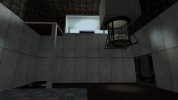
Interception
Medium-difficulty puzzle in two chambers, with funnel, laser, and light bridge. I would like to get feedback on any shortcut or exploit that bypasses the intended solution. Thanks.
Strubadur
This coop map features different themes, tricky puzzles and two levels with several testchambers. They contain shredders, crushers, and many of the portal 2 entities we know from the coop campaign. We tested the map a lot so there shouldn't be any bugs, cheating possibilities etc. Any critics are very welcome please leave a message in the [url=http://forums.thinkingwithportals.com/post48171.html?hilit=strubadur#p48171:1xpjmq8u]forum[/url:1xpjmq8u] if you'd like to but keep in mind that this is our first map (we did not have any hammer experience before). Have fun and look at the indicators and signs which help you to solve the puzzles! spliffa & weedbeat Installation instructions: 1. Use 7-zip to extract the package. 2. Copy mp_coop_strubadur.vpk to your Portal 2 addons folder (\SteamApps\common\portal 2\portal2\addons). If it doesn't exists, create it. 3. In Coop Hub open developer console and type "changelevel mp_coop_strubadur_1". 4. Second level will be loaded automatically. [url=http://s252.photobucket.com/albums/hh25/spliffa780/?action=view¤t=strubadur_00009.jpg:1xpjmq8u][img:1xpjmq8u]http://i252.photobucket.com/albums/hh25/spliffa780/th_strubadur_00009.jpg[/img:1xpjmq8u][/url:1xpjmq8u] [url=http://s252.photobucket.com/albums/hh25/spliffa780/?action=view¤t=strubadur_00008.jpg:1xpjmq8u][img:1xpjmq8u]http://i252.photobucket.com/albums/hh25/spliffa780/th_strubadur_00008.jpg[/img:1xpjmq8u][/url:1xpjmq8u] [url=http://s252.photobucket.com/albums/hh25/spliffa780/?action=view¤t=strubadur_00007.jpg:1xpjmq8u][img:1xpjmq8u]http://i252.photobucket.com/albums/hh25/spliffa780/th_strubadur_00007.jpg[/img:1xpjmq8u][/url:1xpjmq8u] [url=http://s252.photobucket.com/albums/hh25/spliffa780/?action=view¤t=strubadur_00005.jpg:1xpjmq8u][img:1xpjmq8u]http://i252.photobucket.com/albums/hh25/spliffa780/th_strubadur_00005.jpg[/img:1xpjmq8u][/url:1xpjmq8u] [url=http://s252.photobucket.com/albums/hh25/spliffa780/?action=view¤t=strubadur_00004.jpg:1xpjmq8u][img:1xpjmq8u]http://i252.photobucket.com/albums/hh25/spliffa780/th_strubadur_00004.jpg[/img:1xpjmq8u][/url:1xpjmq8u] [url=http://s252.photobucket.com/albums/hh25/spliffa780/?action=view¤t=strubadur_00002.jpg:1xpjmq8u][img:1xpjmq8u]http://i252.photobucket.com/albums/hh25/spliffa780/th_strubadur_00002.jpg[/img:1xpjmq8u][/url:1xpjmq8u]
Flo´s 1. Coop-Map
This is a Portal 2 Map for 2 Player, it contains the use of Ligthbridges, Laser, Bounchegel, speed gel, and of course buttons and door. Its my first map this download version please give feedback, what i can make better in my next map. thanks, Flo2912