Browse Downloads
Recently active files on the download database.
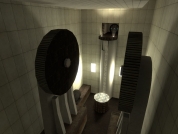
Aperture Secondary labs - Room 01
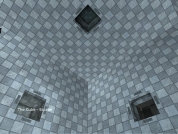
My first map ever. Please give useful feedback! My first map ever, not only for Portal, but in general. It is the first in a series of 7 to 10 (don't know exactly yet) I am planning to do in order to learn hammer. This one focuses on buttons and doors, with simple flings. It is probably not really fun or challenging, but remember this is both my first map and room 1 in the series. The rooms will follow a progressive difficulty curve. The series takes place in aperture science secondary labs. In this lab, GlaDos "daughter" Glados II begins her own experiments. I am according lot of thought in creating new sarcastic lines for this junior sadistic AI. :) Planned improvements (any advice for making those will be gladly appreciated) : -Customize the "01" sign -Import a custom overlay to make the "aperture laboratories" logo on the black wall white. -Import custom sounds for GlaDos II speak. - Slight visual improvements - correct the tubes in the pit (I know they are wrong, but I was eager to get opinions before going further). -Listen to your advices :)
Portal Life
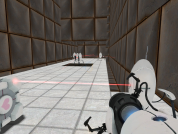
Portal Life is single player based maps. Portal Life is a series of maps that is mainly based around Aperture Science. These maps are more based around single player than puzzles. If you find Portal Life 01 and 02 easy, 03 will put your portals to the test. These maps have taken me months to make, with Portal Life being my first real map and has been greatly updated since I started it.
Tunneling Chamber 01 [v02]
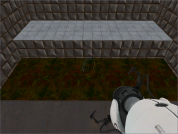
An advanced technique map. Tunneling is the act of firing a portal towards a surface while the player is part way through an existing pair of portals (e.g. standing in a pair of wall portals, jumping into a floor portal) and then moving into position (e.g. backing out of the initial pair of portals) before the fired portal hits its target. While this map is not a tutorial on tunneling, it is a safe environment (player cannot die) that requires the player to use two tunneling techniques in order to progress through two simple rooms before being met with a unique tunneling-assisted fling puzzle. [v01]: ? Initial Release [v02]: ? Re-packed the .rar for easier installation. ? Compiled with the parameter '-StaticPropPolys' to improve shadows, esp. around the elevators. ? Added GLaDOS speech: entry, nags, success and detaching cameras. ? Drastically improved the visual design of and lighting in both stairwells. ? Added additional geometric detail to the metal walls throughout the chamber. ? In the second puzzle room, the trigger that lowers the lift was adjusted to prevent players from triggering it by jumping from the room?s floor. ? Minor optimization to geometry throughout the chamber.
Portal Raw Level Signage (PSD file)
A PSD image file to assist in creating level signs This PSD file contains all the basic elements used in the large level signs at the start of each portal level. Each element is on it's own layer to allow the elements to be hidden or made transparent so that the "lighting up" animations for these sign can be quickly and easily created. Please see the readme file for more information. v1.0 - initial release v1.1 - changed to use the actual large number font use in portal - added a tutorial on creating the signs in photoshop
[WIP]Portal: Facility Advanced v1.00
[WIP]Portal: Facility Advanced v1.00 Version 1 of the map Portal Advanced, this is almost done but needs a bit of work that'll take a while, so i guess it could be a beta.
'Only a Test' Map pack preview
The cinematic opening to my map pack. Enjoy. This is the cinematic opening to my map pack, 'Only A Test'. There's not any puzzles in this map yet, as the entire pack isn't finished. Special thanks to The Hamster Alliance for his voice. Any comments would be appreciated.
Companion Sphere
A Sphere reskined with the Companion Cube Heart I reworked the plain Sphere texture, adding the Companion Cube heart to it. Special thanks for Shmitz for compiling it for me, after I tried for a long time and couldn't get it working. Skin 0 is the Standard Sphere Skin 1 is the Companion Sphere
Turret Dispenser Example
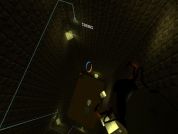
Example Map of a Turret Dispenser It's basicly a turret dispenser. What it does, is that a mechanical arm places a turret at ground level when you hit the switch. Also it will not place another turret, when the ground to place it is not clear (you have to move or destroy the turret/debris). It's not flawless, but it does the job.
Alpha Chamber 1
My first of hopefully many Portal maps. This is the first of two planned maps for Portal. I'm sure you know how and where to put the files, right? No? ...ok then. Place the .bsp file into your "maps" folder located in your "E-MAIL\portal\portal" directory. Then, fire up Portal, and type "map alphachmb_1" in console, and you're good to go! Sorry it has to end so abruptly, and that it's so short, but once I release the second map that goes along with this, the first will be included as well so that it can be played the way I truly wanted it to be. Not sure when that will be, unfortunately.
Common Prefabs for Portal (CP4P) version 1
Useful, &i-able, and documented prefabs for Portal From the included documentation: CP4P - Common Prefabs for Portal Version 1 - Released Jan 05, 2008 =====WHAT IS CP4P?===== CP4P is a set of prefabs intended for creating common gameplay elements in Portal. All of the prefabs are designed with the following in mind: Easy alignment to the grid (when feasible) No excess baggage. CP4P prefabs do not have remnants of connections to other entities, nor do they have brushes that are part of the level they were taken from. Consistent naming scheme designed to not conflict with other entities not related to CP4P All prefabs are documented. Prefab origin "makes sense". For instance, A big button will be centered on the x/y plane and resides entirely on or above it's origin in the z plane. Thus, it can be placed at the same height as the floor and appear in the appropriate location. Most named entities use a naming scheme that is: * Instance-able. Most named entities use &i somewhere in their name so multiple copies can coexist. Exceptions may exist for entities that should only need to exist once per map, or where multiple entities with the same name is acceptable. * Named to not conflict with existing entities. All entity names begin with "CP4P_" (and expect similiar) * Work with wildcards in such a way where additional components of a prefab will not inadvertently be affected as well. Prefabs try to designate a minimal set of entities for communication with 'the outside world'. For instance, a multipart door only requires a single set of inputs (one to open and one to close) to a single connection point, rather than having to instruct each side of the door to open/close individually. =====WHAT DOES CP4P INCLUDE?===== Since version 1: Ball Catcher Ball Launcher Big Button Common CP4P Dependencies Doorstate Indicator Round Door Round Door (wide) Slime Switch (Simple) Switch (Timed Refreshable) Switch (Timed) Switch (Toggle) Weighted Companion Cube Weighted Companion Cube Dropper Weighted Storage Cube Weighted Storage Cube Dropper =====INSTALLATION INSTRUCTIONS===== 1. Copy the CP4P folder into your Steam prefabs folder, located at: STEAMINSTALLDIR\SteamApps\USERNAME\sourcesdk\bin\orangebox\bin\prefabs (example: C:\Program Files\Steam\SteamApps\johndoe\sourcesdk\bin\orangebox\bin\prefabs) If you want to look at sample maps (currently only one), copy them from the "samples" folder to the Hammer maps folder, located at: STEAMINSTALLDIR\SteamApps\USERNAME\sourcesdk_content\portal\mapsrc (example: C:\Program Files\Steam\SteamApps\johndoe\sourcesdk_content\portal\mapsrc) If you want to play the sample map in-game, compile it normally in Hammer. (The .BSP is not included to save space.) It is assumed that as a mapmaker you are familiar with how to actually get from editing a map to playing it in-game.