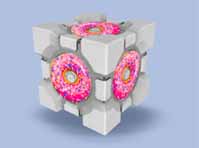
Map
Uber-bright cube
Same thing as my bright cube but darker colors.
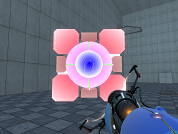

Segunda oportunidad
Completa este mapa exprimiendo tus habilidades cooperativas

Timing Belt
A moderately difficult map. Some cube skills needed. Enjoy.

[COOP] Vertical Alignment
I've been working on this map during the last month or so, and I think I've fixed enough obvious exploits. It's cooperative puzzle focused on light bridges and conversion gel. (You shouldn't need much conversion gel. I think five placements are enough to complete the map.) Screenshots: http://imgur.com/a/0suw8 Anyway, playthroughs would be greatly appreciated. Suggestions will be taken seriously, especially if it's something I can actually fix. I'm more concerned with making this map good than releasing it soon (or I would have already released it).
![[COOP] Vertical Alignment](/downloads/screenshot/thumbnails/3042_thumb.jpg)
Double Trouble
include
3 in 1 V2.0
The second version of my 3 in 1 map. The difficulty is easy, you will not blow up your minds. In fact the first version was a fail from me : i uploaded a wrong file...

Blue-ish Portal Gun
A portal gun I made. Not sure where I found the original portal gun texture but I changed it to make it blue. This time the folders are included. Just put it in your materials folder in portal>portal.
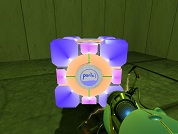
PTI element: Dice Signages
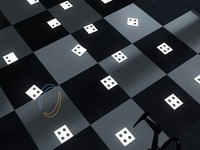
This element adds support for making 1, 2, 3, 4 number annotations on the floors and walls much like existing Portal 1 and 2 maps do. The numbers are indicated with dots. You can see an example screenshot here: http://bisqwit.iki.fi/kala/ptal2/dice_signages.png To use, place the element on ground. Use the "Cube type" option to select the type of sign. Standard = 1 dot Companion = 2 dots Sphere = 3 dots Franken = 4 dots The element can be moved around within the voxel the same way as lightpanels can. Use Reflective, if you want to rotate the dot around (to place it in a diagonal orientation), before assigning it the correct type and place.
Brain Donuts
Donuts aren't good for your body, but this map is good for your brain. Actually, it's meant to mess with your head. Look around. Explore. Look behind you. Strange things happen. Unzip the file, put some sprinkles on it and stick it in your maps folder.