Portal 2 (Other files)
Miscellaneous Portal 2 mods, assets, tools, and non-map downloads.
VPK Extract in DLC Custom.
------------------------------------------------- VPK Extract in DLC Custom. (Original Project http://www.tarados.com) By CaRLyMx STEAM: http://steamcommunity.com/id/carlymx Current Version: v1.0 FINAL [UPDATE: 11-11-2011] ------------------------------------------------- Problems with VPKs since Update to 1 DLC "Portal 2"? Tired of messing lod directories "Portal 2" with the content of VPKs? You do not know what to be cleared? The solution while Valve does not fix the problem is to create a Custom DLC, and enter into the content of VPKs. Here you have what it takes. instructions: 1. Copy the contents of the RAR in the Root of the Game. 2. Extract the contained; of VPKs into the "portal2_dlc9" as if the directory "portal2" is involved. Use "GCFScape.exe" in TOols Directori. 3. Logging into the game, open the console and locate the map. 4. play * You can try a map made by me. xDD PSICODELIA Test One v1.3 ** This is not a solution, is a little trick, hopefully Valve the big problem resolved soon. -----------------------------------


Portal 2 Theme
This is my first theme "Portal 2". ? 138 portal wallpapers ? Windows sounds replaced by turrets ? Trash icon is replaced I also recommend an excellent screen saver, you can find here : http://imgur.com/gallery/DbXgL ( Is the .exe in the .zip, virus scan : http://goo.gl/XYkKf3 ) -----ChangeLog----- 2.1 -Added some wallpaper. -Added a readme. -Clenest -Removing wallpaper of low quality 2.0 -Added some wallpaper. -Changing sounds: set in English -Color change of the bar -Changing the icons of the trash

Scientific Precision
This file contains a number of loops of music in the style of Portal 2, for people to use with the game's "dynamic music" system.
Frames prefabs
This file contains two prefabs: one for a doorframe, one for a funnel frame. To use these, place them in steam/steamapps/common/portal 2/bin/Prefabs. In hammer, click the entity tool and then select prefabs, and choose the one you want to use.

Portals on Panels, Issue Clarification
I'm having an issue where portals placed on my rotating panels will only be oriented one specific way relative to the prop_dynamic (panel) inside of them. Here is a big, simple version of the problem I'm facing.
Co-op tube ride sequence
This is an instance that when triggered causes a sequence in which Blue, Orange or both go flying through a set of vents, like the one that leads to and from the 'DLC room' in the hub. To activate it you need a trigger_playerteam that will tell the instance what sequence to start (Blue/Orange; Long/Short) and to enable/disable the trigger_teleports. You should also place two trigger_teleports - one for Orange and one for Blue. these should be enabled when the corresponding bot arrives and disabled when he leave's the trigger_playerteam brush. There are four alternate remote destinations for these brushes: @orange_tuberide_long_teleport_trigger @orange_tuberide_short_teleport_trigger @blue_tuberide_long_teleport_trigger @blue_tuberide_short_teleport_trigger You can also have up to four point_teleport entities, from these the player will re-appear in the map after the sequence: @orange_tuberide_long_teleport_trigger2 @orange_tuberide_short_teleport_trigger2 @blue_tuberide_long_teleport_trigger2 @blue_tuberide_short_teleport_trigger2 YOU MUST NAME THESE ENTITIES APPROPRIATELY, otherwise the instance won't work properly. Hope you'll make the best out of it, I'm sure I will.
Advanced Conveyor Belt (Portal2)
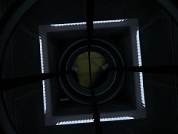
This is how Valve made proper conveyor belts in the game section 'turret manufacturing' It consists of eighteen func_tracktrains, with individually attached prop_dynamic belt sections which move the player and objects. VMF and BSP are included for you to examine and edit any way you see fit. Hopefully this will help to explain how it was done, and how you can do it for yourself

Portal 1 Door Instance
Well, for anyone who wants a door like those from portal 1, HERE IT IS!!! It opens! It closes! It can be used to seperate areas without using the normal door and confusing idiots! NEW!!! Now it even sounds like a door!! Just chuck it in the map and send it an input, like any instance. Feel free to open it up and stuff round with it, I don't care. Oh and before you start whigning YES it is a portal 2 frame, the portal 1 frame doesnt have the correct skin. And quite frankly I couldnt be bothered getting it from the portal 1 files.

Core Socket Example
Core_socket.mdl usage example. Connect Wheatley to activate some of the testing elements.
150 HD Portal Photos 1+2
(For desktop Backgrounds/ Screensavers) Thanks to all those who supplied great portal 2 pictures! Although I am not very good at maps, I like making videos and collections!