Portal 2 (Other files)
Miscellaneous Portal 2 mods, assets, tools, and non-map downloads.
Test Map Pack Instances
This is a vmf with some of the instances I used to make various levels in my map packs. In it, you'll find how I made the moving button, portal sensitive panels, colored cubes, assembling room, and circuits. There are comments spread throughout the map in info_nulls or the entities themselves (cubes, buttons, etc). You can find the video for this here: http://www.youtube.com/watch?v=_gVYzo6_d8Y
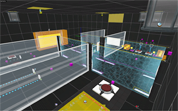

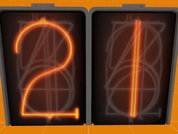
Underground Timer
This is an instance of a robust underground timer. This timer can count up or down from 1 - 99 seconds. underground_timer_counter.vmf The $UnEvent_Relay parameter is the event that is fired when the timer has stopped counting. This event should be triggered in one of the clock instances. This instance is used for both buttons, however the buttons will determine whether it counts up, or down. underground_timer_but_countdown.vmf $time_units is the number of seconds of the unit column $time_tens is the value of the tens column (This is the only way I could figure this out for the countdown timer without adding some sort of script.) The $Event_Relay parameter is the event that is fired when the timer has started counting. This event should be untriggered in the clock instance. Please note: I have added entities that will work out the number of seconds the counter needs to count down from $time_units and $time_tens, hence the large amount of logic_cases underground_timer_but_countup.vmf The $Event_Relay parameter in the 'Timer instance' is the event that is fired when the timer has started counting. This event should be untriggered in the clock instance. The $time parameter should be set to how many seconds it should count up to Known Bugs: Putting both 0 and 0 for the left and right number icons will cause a rip in space, however this shouldn't happen as you wouldn't want a 0 - timed counter How to place in your map: Create a func_instance and change the vmf path to "underground_timer_counter.vmf" Name this instance Create another func_instance and then change the path to one of the button paths (either underground_timer_but_countup.vmf or underground_timer_but_countdown.vmf depending if you want it to count up or down) Set the button's fixup name value to the same of the counter instance If you are using the countup instance, put a number value for the replace value $time to how many seconds you want the counter to count up to If you are using the countdown instance, put the individual values with each a 1 digit number which will represent your double digit number. e.g. "$time_tens 1" and "$time_units 5" will make the timer count down from 15 Using the $Event_Relay replace value in your button, make it point towards a logic_relay which will trigger the event when the counter starts. This must include the name of the prefix PLUS the name of your relay otherwise it will not work. e.g. clock_1-TRIGGERNAME (This is the name of your relay outside the instance) Using the $UnEvent_Relay replace value in your counter instance, make it point towards a logic_relay which will un-trigger the event when the counter stops. Same as the button's relay this MUST INCLUDE the prefix fixupname as well as the name of your relay. e.g. clock_1-UNTRIGGERNAME (This is the name of your relay outside the instance) Enjoy the use of an underground timer... WOOOT If you are having trouble... Please do not hesitate to ask for any help either through a PM to myself or by posting a comment inside the instance thread.
Portal2JAEP
Portal2JAEP Portal2 - Just Another Extras Patcher Portal2JAEP is an easy-to-use Portal2 Extras-Manager with many features to manage your Portal2-Custommaps. Extras-Patcher, Map-Installer and Map-Downloader in one tool. Add Maps directly from bsp, vpk, zip, rar or 7z files, automatic extraxt and install, Maplist to manage new and alreday played maps, download and install maps directly from thinkingwithportals.com and many more. For more Informations, Feature-List, Help-Informations and Bug-Reports see the Thread of this Download, following this Link: topic4409.html # Changelog # * 2011-08-22, v1.00 - First Release

Third Person View
Third Person View Plugin! Press F10 for the normal Third Person View. Press F9 for the Shoulder View. Image: http://cloud.steampowered.com/ugc/55979 ... 522A0ED36/ http://cloud.steampowered.com/ugc/55979 ... CE5EC58EC/ http://cloud.steampowered.com/ugc/55979 ... 3B2B223D3/
Explosive Cube Source map/stuff
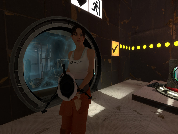
Some of you may have noticed my WIP map pack including the explosive cube a LOOONG while back lol Well due to a lack of interest/motivation i kinda forgot about the project, But figured it might be an idea to upload the models/materials/map source in case other people might want to use it in their own maps! The way the explosive cube works is actually a complex mess of logic relays, Experienced users could probably figure it out by looking at the map source, But i also written an explanation in a readme file in the zip. If you use this stuff in your own maps please leave a note of who made it/possibly redirect to this page. Thx One or more textures on this map have been created with images from CGTextures.com. These images may not be redistributed by default. Please visit http://www.cgtextures.com for more information. EDIT: Forgot to actually explain how to install, Figured most people could probably figure it out: Copy models/materials folder into your Portal 2 folder, The .VMF file can go anywhere.

Timed Button Example
A simple little puzzle I created for someone to demonstrate how to set up a timed button. It was meant to take five minutes to make, but I got distracted by something else, and then when I came back, I got carried away and made it a full-blown proof-of-concept puzzle. I was hoping my first upload would be something a little more exciting, but here you go. Don't download this if you're looking for an actual puzzle; this is the simplest one you could ever imagine. Known bugs: For some reason, the logic_playerproxy doesn't work, so PotatOS is on the portalgun.

Logical Gate's: "OR" "AND" & "OR-Exclusive"
Logical Gate's: "OR" "AND" & "OR-Exclusive" By CaRLyMx STEAM: http://steamcommunity.com/id/carlymx ------------------------------------------------ DESCRIPTION: This little test shows two different ways to use the function "MATH_COUNTER." Logic gate "OR" having 2 buttons, using any of them will activate the door, the funnel or whatever you say. Logic gate "AND" exactly the same as above but have to press two buttons to activate. Logic Gate Or_Exclusive: system where 2 of 3 buttons must be pressed but it can be any 2 of them while pressing all 3 has a different purpose.
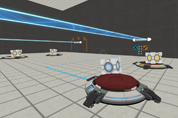
arm64x64_interior with hitbox
This is the normal arm64x64_interior with all it's animations and skins but additional physical hitboxes. Now prop_physics or players can collide with it without any clip-brush. Clean and rusty skins are in 1 model. Skin 0-2 is clean, 3-5 is rusty. (0 normal, 1 off, 2 error) I recommend to use this model just if necessary (avoiding possible mistakes made due decompiling).
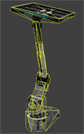
Heavy cube impact VMF-File
This is a sample scene vmf-file for the Mapping Help Subforum. Thread can be found here: mapping-help/weird-trigger-behaviour-t4075.html I tried to simulate a heavy sound plus shake effect when a cube falls from a certain height.
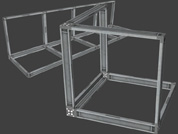
Squarebeam - Edges, Corners
To avoid flickering of corners or edges with squarebeams you can use now these new models. They support all 3 skins for squarebeams. Edges: 64, 128 and 256 units long Corner: 64x64x64 Other formats: 64x48 and 48x48 squarebeam.