Portal 2 (Other files)
Miscellaneous Portal 2 mods, assets, tools, and non-map downloads.
Crusher Instances (many custom options)
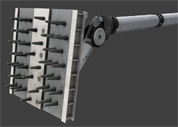
These crusher instances are aviable for 1 side and 2 sides (opposite). You can do the following: Use a Reset Timer for auto-reset after crushing. Use a Solved-Relay that brings the crusher to "de-crushes" state (even if moving). Use single relays just to crush or uncrush without any automatic reset. Use the Status value - set a name of a math_counter and the crusher will add 1 if crushing and subtract 1 if uncrushing. (For multiple crushers). Just don't forget to kill/deactivate the not used features with a logic_auto at mapspawn. Use this well-thought-out crusher system to create crushers in all variants easily.

Portal Gun Pedestal Instance
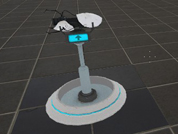
This is a instance I made of the Pedestal which the Portal gun sits on. Please note that this is not just a couple of props but a fully working dynamic prop with animations for putting the gun down and back up from inside the ground. I put a couple of values in so that you can edit it to your liking (for example make the portal gun up at spawn or disable the prop going down after you pick the gun up). - This includes an I/O proxy to help you pick the right outputs - This can be set to look broken (Sparks and has no Portal Gun) - This can be lifted from or closed into the ground using an output - This can be changed to look like a blue or orange coop portal gun - This can spawn a one portal (or no portal), portal_gun Replace Values: $DisableClose Boolean -> Set this to disable the gun going down after you pick up the gun$DisableClose Boolean -> Set this to disable the gun going down after you pick up the gun$StartingTeam Integer -> Used for telling which team the gun starts for (0 is for SinglePlayer, 2 is for Blue, 3 is for Orange)$StartUp Boolean -> Set this if you want the Pedestal to spawn up at start of map$HandleSpeed Float -> Sets how fast (or slow) the handles of the pedestal will open or close$DoesntSpark Boolean -> Set this if the pedestal doesn't spark$HasPortalGun Boolean -> Set this if there is a Portal Gun on the pedestal$Skin Integer -> Changes what color the portal gun is (0 is Normal, 1 is Blue, 2 is Orange)$CanFirePortal1 Boolean -> Set this if the portalgun can fire Blue Portals$CanFirePortal2 Boolean -> Set this if the portalgun can fire Orange Portals Since I found out that not every mapper knows names of simple value types I put an explanation: 'Boolean' indicates a value that can only have a 1 or 0 option. 'Set this' indicates putting a '1' as the value. Integer indicates a value that can have a number as its' option. Float indicates a value that can have a decimal place. e.g. '0.5' Please read above what values to set before complaining that there is no portal gun spawning!!! Feel free to use in your map!
Co-op airlock instance.
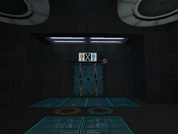
This is an instance of the coop airlock. Since I cannot find where Valve has put this instance (or if they have included this instance with the Portal Authoring Tools at all), I decided to copy it, and make it into one for ease of use. Please note: That this is a Prefab of an instance and you have to keep all the files in the correct folders in the zip. To use this: click the entity tool, in the drop down menu to the Right, choose Prefabs and in the drop down menu below it, choose airlock The reason I made it into a Prefab is so then the instances automatically get named if you place another airlock prefab in. The only entity outside the main instance (straight in the prefab) is a logic_auto, that opens the front airlock door. - This will automatically change the airlock spawns to be the 'Active spawn'. - It comes with the parameter $airlock_success_relay which triggers when both players are in the airlock - It comes with the parameter $door1_hasOpened_relay which triggers when the first door in the airlock has opened. - It does not automatically call the script to make Glados speak when you taunt to the camera (This should be done in the coop_spawn instance). Feel free to download and put in your map!
Logic_branch and Logic_branch_listener demo
Just a quick demo to show how the Logic_branch and Logic_branch_listener work.

Panel Activated by looking, deactivated by looking away.
This is a panel that is activated by the player looking at it. For anyone interested, I thought that this would make a good puzzle element. Here is a demonstration video: http://www.youtube.com/watch?v=Y5tJV7mlDwQ Please note that this is a prefab, not an instance or a file you just copy and paste. If you wish you could make this into an instance but I kept it as a prefab for the movability of the trigger. Prefabs go inside your Portal 2/bin/Prefabs folder. Explanation on how it works (if you can't figure out for yourself): If the player is looking at the panel (onTrigger) it will trigger the open relay. To make sure that the animations are played in order it will disable the open relay and enable the close relay. The opposite for the other relay. Since the trigger_look cannot use the OnTimeout output when it has Triggered I used a timer to disable and re-enable the trigger so then the player can fire the outputs again. If you are to edit this to make the platforms close slower etc. Make sure you make the timer fire longer than the timeout value in the trigger_look. Otherwise the panels will never close. If you need help with anything in the prefab, please don't hesitate to post a reply in the topic.
Custom Coop Start+Platforms+Calibration Room
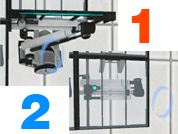
This is a Instance Pack with 3 things. -First Instance is Blue and Orange buttons for coop (Totally Custom) -Second is the full room Instance to start the coop map (using the blue and orange buttons). -And the final is a Start Coop with the Room instance full. Instructions: -Darkylight's Instances goes to sdk_content/maps/ You only need to create a func_instance with it and run the game Glados Language is your Portal Language. -Fixed The nodraw wall <-< -Video: http://www.youtube.com/watch?v=DuqFc37rOSU
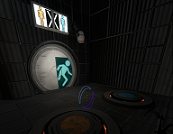
Portal2 Neurotoxin map-example renaFUSED
I made this to show how to use the deadly neurotoxin with the use of Logic_timer, env_smokestack, trigger_hurt and vgui_neurotoxin_countdown This download comes with both the bsp and vmf files so you can learn how to make your own. Enjoy -FusedCore
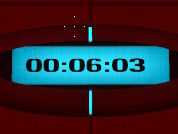
Portal2 Logic multi-button map-example renaFUSED
I made this to show how to use a multi-buttons to preform more then one task and a final task with the use of logic_branch and logic_branch_listener. P.S. This map also contains animated panels, indicator lights, and auto cube spawners all in action, Oh and it comes with the vmf file so you can see how it was all done. Enjoy -FusedCore
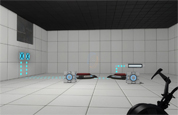
Bomb Launcher concept
Its a bomb launcher based off the one Wheatley uses but modified to be be compact and to be used in test chambers, maybe as a replacement for the rocket turret. Right now its just a concept, but if I ever get the chance I might try to model it. Changes will be made as time goes on. Watch the demo of it here: http://www.youtube.com/watch?v=mqdoif7YCVM Other info: The prefab contains only the launcher and its relays, so you will need to add in things you want to add. For coop maps, though I haven't tested it yet; a target has been supplied so you will need to ungroup the prefab and change the lasers target to the the target, as the beam is glitchy in coop, so it will act like the rocket turrets.
[Tutorial]Portal2 SDK Customizable Spawn Map Options MOD by FusedCore(renaFUSED)
This mod is for people who are using the Portal 2 SDK tools. You must own Portal 2 on PC(Windows) for Steam and have the "Portal 2 Authoring tools" SDK installed to use this tutorial. This SDK mod allows you to chose whether to chose different options for spawning on your custom single player maps.
![[Tutorial]Portal2 SDK Customizable Spawn Map Options MOD by FusedCore(renaFUSED)](/downloads/screenshot/thumbnails/917_hammer-custom-blocks.jpg)