Portal 2 (Other files)
Miscellaneous Portal 2 mods, assets, tools, and non-map downloads.
Bluemod v.3 co-op edition
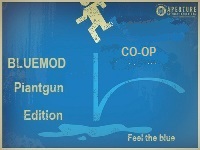
This is bluemod v.3 after a long time I decided to make it for co-op the only thing that causes a little problem is there is sometimes a single portal gun that pops up but it doesint do anything this is compatible with bluemod v.1 v.2 speedmod gravitymod and beemod have fun

Gravitymod
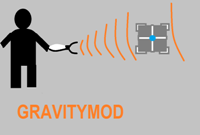
I will write a better discription later This is a gravity gun for the ingame editor will try to add more instances later this week THIS IS NOT BEEMOD1 COMPATIBLE or bluemod or speedmod have fun
PTI element: Living panels, 64x64 and 128x128
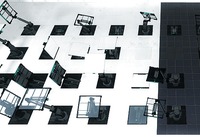
Wacky panels that do stuff. 64x64 and 128x128 sizes are provided. Inputs: * Start deployed -- Inverts the direction of the panel's animation. * Timer & Autodrop & Start Open -- Choose which animation to play, see below. * Button type -- See below Button types (64x64 panel): * Weighted = White or black panel surface, depending on whether it's positioned on a portalable surface or not. * Cube = Glass surface. * Sphere = Intangible skeleton: Just the skeleton of the panel, without surface, also does not clip the player. Button types (128x128 panel): * Weighted = White or black panel surface, depending on whether it's positioned on a portalable surface or not. * Cube = Glass surface. * Sphere = Portal 1 style metal wall surface. Use signal inputs / connections to activate the element. The panels contain a built-in AND gate just like the standard elements do. Of course you don't need to activate the element at all. Just affix it in a particular pose to provide a platform of your choice. There are 68 different animations provided. The animation is selected using the Timer value, the Start Open checkbox and the Autodrop checkbox. The list of animations is detailed in the README file provided in the distribution package. It is rather difficult to try to video-document all the animations that this object can play, but here's a sample picture which should serve to at least pique some curiosity. Unless you choose the "skeleton" type of panel, this panel is fully blocking and can be even used as a lift / piston platform for objects and for the player. The arm of the panel is only partially tangible, and only in some animations. It is a bit difficult to generalise for the set of animations present here, so the tangibility is disabled for most animations where the heuristic method does not work nicely. The object also does not contain a crush kill trigger, a portal fizzler, an object fizzler, nor a portal bumper. This is intentional. But it may lack other things that are wise to have (hint brushes? shrug), because I just began learning to use Hammer a few days ago, and I wouldn't yet know anything about those. Note: These panels have the "adjustment gizmo" which allows them to be placed at an offset much like the laser components -- except that it does not work. Sorry about that! Just use always the center position. If anyone has good ideas of how to fix it, it would be welcome. (This comes from the 5 positions method. The 8 positions method does not work, because the embedding pit would not be relocated correctly together with the element.) However, you can use the adjustment gizmo to rotate the element around. Just point it towards some edge of the voxel, and then place it back to the center. The object will retain the new orientation. Note: The platform may move within the first second when the map loads. Sorry about that. This may be fixed in a future version. The panel contains from 21 to 25 entities depending on version. The skeleton version has the fewest entities, and the large non-glass ones have the most. And finally, the in-editor symbols for this object are currently the laser emitter for the small panel, and the piston top for the large panel. I have not yet developed the skills to change the in-editor graphics. Download here: http://bisqwit.iki.fi/kala/ptal2/livingpanels.zip
Prototype Reflect Ball (model only)
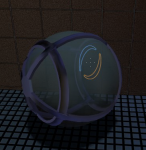
After some delay, I managed to cook up a RAR file with the files needed for the Reflect Ball. It is an 'unassigned' model, meaning there's a few bugs that need tweaking. Thus, I flopped in the SMDs and QC files for everyone to look at.
Musical Faith Plates
These instances replace the PTI Faith Plates so when they launch something,, they will play the music used in the campaign. This can be ideal if you want to add interest to a map with various faith plates. Readme included for installation help.

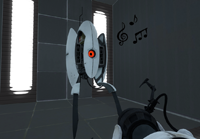
Singing Turrets PTI Instance
These instances replace the PTI turrets so when they deploy, they will sing to you! This can be ideal if you want to put a little easter egg into a PTI map, or just for fun. The turrets can be repositioned from behind, but once they see you, they cannot be moved. Readme included for installation help. Anyway, I originally made this as a fun little thing to mess around with, but a few friends requested a download, so I decide to upload it here if any of you guys want to use it.
Portalable Piston Instance for PTI
Portalable piston for PTI, made by LPChip, who doesn't have an account here. I take no credit, nor responsibility, for it.
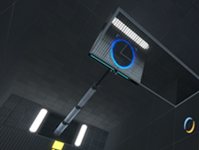
Portal 2 Beta styled vac tubes.
These are hexed vactube alternate models that have the un-textured frames, much like they did in the april 2010 game informer and valve's original meet wheatley trailer for portal 2. You may use these in any map that you want to look more like p2's beta, but please give me (tile) credit in your map (and let me know you made a map with my stuff in it, too, because i love seeing my work put to good use!)

Panel models 32 & 64
A request by ChickenMobile. She wanted 32322 and 64648 panels with ceiling/wall textures. The 32-panels have ceiling textures. Skin 0 - observation room ceiling Skin 1 to 8 - underground ceiling tiles, different variations Skin 9 to 16 - white dirty ceiling tiles, different variations The 64-panels have wall textures. Skin 0 - black metal wall Skin 1 to 16 - destroyed metal wall, different variations If you want to have other skins, ask me.
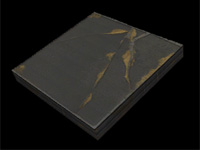
PUNT Gravity Cubes
As seen in Reepblue's previews for the mod PUNT! The example map isn't very good, and I'm not actually sure it doesn't leak, but it shows the triggers you need. Copy-paste them into a plain box and it'll look better. Used with permission, but you need to attribute PUNT to Reepblue if you make something big with this.
