Portal 2 (Other files)
Miscellaneous Portal 2 mods, assets, tools, and non-map downloads.
ML's Angry Hover Turret
This is my personal version of the scrapped Hover Turret that didn't make it in Portal 2. It floats in the air while tracking the player with a laser and has two turrets equipped that remain motionless (except when firing). The only way to destroy the turrets is to burn them with the laser, picking up the turrets will NOT work. To activate the Angry Hover Turret properly, trigger the logic_relay with a trigger or something. It is best to copy and paste the Angry Hover Turret rather than loading it as an instance. Known issues: 1)While trying to rotate the Angry Hover Turret, the func_tank that tracks the player may end up firing the laser in another direction. When this happens, simply rotate the func_tank (the clip box) 90, 180, 270, etc degrees until it lines up properly. This takes some trial and error testing but it's not a big deal. 2) When using the reflection cube with the Angry Hover Turrets laser beam, sometime the laser will not reflect in it's current position.
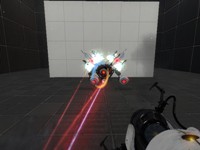

Customizable Box Droppers
These box droppers reduce all of the box dropper stuff in instances/gameplay into just a handful of instances. Place a dropper instance, give it the name of a special cube instance, and you're good to go! Note: there's a vscript involved, so using FudgePacker with this is a good idea. The Faith Cube also will glitch unless you have Skotty's Catapult Cube model.
FudgePacker 0.4 - With Hammer Intergration.
FudgePacker lets you create a list (or several lists) of files to add to your map, and automatically packs the files you want for each map while it builds. You can now choose which lists to load from inside hammer itsself.
Test Element - Animal King
This test element, for Hammer or the Editor, will throw bombs if it sees you. It needs to be activated by something to start. This also includes breakable walls for the Editor, which the bombs will shatter. Enjoy!
Scene Voice Script Package
These are a number of files which you can use to play Valve's scene files for voice lines. You can create your own custom order for the scenes like the way Valve has done it. This example mainly covers coop GLaDOS. If you really want to use a custom scene this is the only way to do it if the Scene Table is personalised for a certain map. I highly suggest you don't go all out unless you are making a mod or a larger map-pack. Check out: https://developer.valvesoftware.com/wiki/Portal_2_VCDs for references of each scene.

TSL Dropper AnnyCube v1.4 (FIXED)
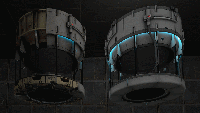
This are 2 droppers, a new one and a wrecked one, who can drop anny cube you choice, used with the "func_instance" This Rar file contains also an explanation/installation html, and a document that explains the settings you have to set in the func_instance If someone made this kind of droppers already, i make my appolegies to you now, becouse i did not know. NOTE: FOR thus who have Downloaded the v1.3, please update your files with this one, and recompile your maps that are using the v1.3. Regards Teddybeer Fixed: Cube that did not drop when you shoot first a portal and dropping the cube with a Button Trigger.
Credits
A Credit script that works with an instance to display your credits
Want You Gone Music and Lyrics
This will play "Want You Gone" (Portal 2 credits) and display the lyrics at the same time. Extract the zip folder and run "Want_You_Gone.bat" to start. See the ReadMe document for more info. Note: This will only work with a Windows computer.
tripwire turret
This is meant as a tutorial on how to create a tripwire that you can see in game, rather than being invisible. This specific map triggers a turret, but it can be used for many different occasions. I hope this is useful to someone.
Gel Dropper instance
Instance of a gel dropper that comes from a standard cube dropper. ============================================== = GEL DROPPER INSTANCE MADE BY CHICKENMOBILE = ============================================== This instance covers every available, working gel in Portal2. It has presets for each gel when you specify the type. Please note: Options are CASE SENSITIVE therefore you will need to type 'Bounce' instead of bounce and 'BigBlob' instead of bigblob etc. Instructions: 1. Place an func_instance inside your map and point towards your gel dropper instance. 2. Name this instance 3. Select your Gel type for $PaintType. Options: 1. Bounce 2. Speed 3. Erase 4. Portal 4. Select if it will spawn as a BigBlob or a constant stream of gel for $BigBlobOrConstant Options: 1. BigBlob 2. Constant 5. If it is 'BigBlob', set $TimeBetweenBigBlobs as a number for time BigBlobs spawn after each other (2 seconds is a good time) Notes: 1. BigBlobs are treated like physics objects which can be catapulted by faith plates and explodes when in contact with other BigBlobs 2. BigBlobs cannot press buttons 6. If you set $DropperInitiallyDisabled to 1, you will need to manually turn the gel spawner on using an output. Create an output from your activator (i.e. a button etc.) and then point it towards your gel spawner, then select from the 'Target Input' drop down menu: 'instance:StartGel;Trigger'. If you want to stop the gel from spawning choose: 'instance:StopGel;Trigger' 7. Profit?!?! P.S. I cbf uploading a thumbnail its nearly 4am. Good day