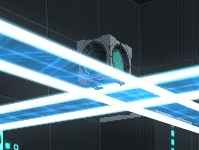
Portal 2
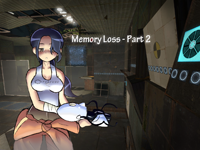
Memory Loss - Part 2
Welcome to Memory Loss 2 Trailer - http://www.youtube.com/watch?v=xEgu2zE40Lc Me on steam - http://steamcommunity.com/id/12URMarty/ Explore using your survival skills in an attempt to find your way out alive. Just be sure not to let hallucinations overtake you, as there is no telling how it will end. History Version 1.0 Released Version 1.1 Fixed some particle effects Version 1.2 Fixed cheating in some areas, fizzler in second room. Version 1.3 Added auto save points Secrets you can find. Find 4 glowsticks Find the <3 Find the key Find 4 turrets from the future. Find the hidden picture. Something need to be fixed ? Drop a comment below.* Thanks, hope you like the map! -Marty

Portal Era : Part 2
Hammer Adventure Final Version -- Medium Difficulty -- 20-30 min - Autosave =============== Story =============== Place : Aperture Center Year : Unknow You just fall. Try to escape this place and find a way to the surface ! =============== The Trophies Quest =============== They are 5 Trophies in the level. Will you find all the hidden trophies ? -- You can DOWNLOAD it from the workshop : http://steamcommunity.com/sharedfiles/f ... =116823978 -- Please keep on noticing the bugs and problems you encounter. -- "Portal Era : Part 3" is comming soon... -- Have Fun !!
(sp) Portal Era : Part 2 (Early Beta)
Second part of the Portal Era Adventure. This is a very early beta. Please notice every probleme or bug you find. Please record your blind test (it really helps). - 4 hidden trophies to find Here is the walkthrough : http://youtu.be/yC7OL0cZZhU

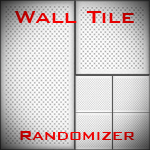
Wall Tile Randomizer
Ever get tired of cutting up your walls to create tile variation? Wish there was a way to automatically generate randomized walls? Now there is! Just extract the 7z, run WallRandomizer.exe, and either copy the contents of the output vmf or use it as an instance. --NOTICE-- You WILL need to install Python 3.3, available at http://www.python.org. The WTR will NOT work without the dlls from it, which I cannot distribute. Features: -Customizable size -Either white or black wall -Clean or dirty variants -Enable/disable of certain tile sizes -Automatic texture alignment Please note that this is in very early testing - just something I whipped up in an afternoon. The algorithm is also a tad slow and can lead to some odd results. Please leave feedback about any bugs you may encounter. Changelog: v1.1 -Fixed texture alignment -Added clean/dirty variants -Added input checks (no more putting "fish" as the width ) -Improved and optimized randomizer algorithm -Added texture arrays, making it possible in future versions to add a text file to change textures -Other miscellaneous bugfixes v1.1.1 -Fixed clean wall bug (thanks protoborg and tile) v1.2 (A day late and a dollar short, sorry) -Fixed side alignment issues -Upgraded from Python 2.7 to Python 3.3 -Replaced crappy 15-minute-implemented brush writer with PyVMF
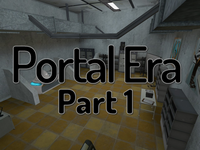
Portal Era : Part 1
Hammer Adventure Final Version -- Medium Difficulty -- 10-20 min - Autosave =============== Story =============== Place : Aperture Center Year : Unknow You wake up in a strange room, without portalgun. Try to escape this place and find a way to the surface ! =============== The Trophies Quest =============== They are 4 Trophies in the level. Will you find all the hidden trophies ? -- You can DOWNLOAD it from the workshop : http://steamcommunity.com/sharedfiles/filedetails/?id=112260778 -- The walkthrough and the pictures are on the workshop -- Please keep on noticing the bugs and problems you encounter. -- "Portal Era : Part 2" is out !!! -- "Portal Era : Part 3" is comming soon... -- Have Fun !!
Mho' Power Conductive Plate Instances
This is a collection of the instances used for the custom testing element in the "Mho' Power" series. Two variants are included, a black and a white clean variation. ----------------- Instructions to use the instance are in the readme, included in the archive. ------------------ The instances and material are distributed under a Creative Commons Attribution-Share Alike 3.0 Unported license. If the instance and/or I/O setup is used, you MUST credit me, WrathOfMobius. If the material is used, you MUST credit the creator of the material, Vordwann.
Thinking_ With_ My_ map
This is my 2nd map. enjoy map!
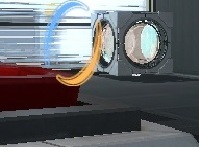
Sunbury Chambers 16
Easy COOP. This map is perfect for beginners and has approximately 40 min game play. The map includes conventional puzzles with cubes, spheres and lasers in PeTI style but also flinge actions and some unconventional puzzle features. The players can proceed non-linear. More screenshots on Steam: http://steamcommunity.com/sharedfiles/f ... =139476387 Packed with 7zip A Walkthrough video and information of how to play COOP on your own are posted in the Comments of this Map.
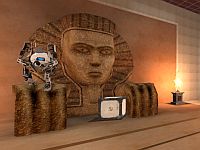
Lazer_fix_A_N_J_U.bsp
I am anju..and This is my first map...I think you will enjoy it. If you cannot solve the map,let me know...Good Luck...!!!