Portal 2
[WIP][Co-op] mp_coop_retrieval v2.0
This is a very close to finished version of my co-op map: "Retrieval." Feedback and/or playthrough videos are much appreciated. Thanks!
![[WIP][Co-op] mp_coop_retrieval v2.0](/downloads/screenshot/thumbnails/1669_2012-03-30_00001.jpg)

Rocket_turret_fixxed_2012_v2
THis is a fix of Rocket_turret that it was broking in DLC#2. PS if Scene Dont work, just try to Rebuild scene's than it schuld be working leave a Reaction of it

Cage Fling
RELEASED! Please Download Here Cage Fling
Coop Opposite Linkage
Opposite linkage is a special mode for Portal 2 Cooperation game, in which players' portals are switched, i.e. ATLAS primary portal is connected to P-body's secondary, and vice versa. UPDATE: - changes in map: changed the behavior of the elevator (first laser catcher moves elevator up, when powered) added indicator lights and other details added the button accessible only by using noclip to test portal linkage switching - killing one bot, no longer triggers the delayed death of both, instead portals are destroyed and their linkage are switched to normal and then back to opposite during respawn (in a nutshell: when one of players screws up, all 4 portals are destroyed, but the second bot don't have to die) - switching linkage between normal and opposite will no longer change portal colors Known bugs: - switching linkage to opposite, when one of the bots is dead, screws up the portals linkage - at least three graphical glitches related to P-body's portals, only visible at second player site
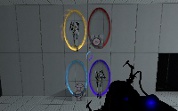
Brain Exercise
An easy single player map. Includes Laser, Hardlight, Turrets, and Faith Platform. Have Fun! Please Point out any flaws, bugs, mistakes, "ninja" ways to solve it. Added few updates: bug fixes.
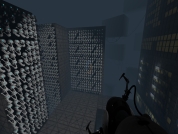
Easy_St
This is my first Portal 2 map. It features Finnals, Lasers, and Light Bridges. It is currently in Beta form, any bug testing would be helpfull.
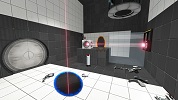
Islands
A short, open map with hard light and turrets. Current version: 3 (smaller size, adjusted puzzle)
Platform Peril
This map centers around the concept of using a single moving platform throughout the entire level while maneuvering various obstacles along the way. I'm uploading to WIP to see what you guys think of the concept, or would suggest that I make different, or anything else. Very open to criticism. Also, since it's a WIP, you'll notice I haven't done much to make textures pretty or stuff. So far, only first few areas completed. Also I'll change the potato later.
Want You Gone Music and Lyrics
This will play "Want You Gone" (Portal 2 credits) and display the lyrics at the same time. Extract the zip folder and run "Want_You_Gone.bat" to start. See the ReadMe document for more info. Note: This will only work with a Windows computer.
tripwire turret
This is meant as a tutorial on how to create a tripwire that you can see in game, rather than being invisible. This specific map triggers a turret, but it can be used for many different occasions. I hope this is useful to someone.