Portal 2
Reversion
This map is now in the released section.
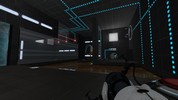

[WIP] mp_coop_retrieval v1.0
This is my first co op map. I hope you test it out with some of your friends, enjoy it, and can give me some feedback. Thanks!
![[WIP] mp_coop_retrieval v1.0](/static/img/no_screenshot.png)
Frames prefabs
This file contains two prefabs: one for a doorframe, one for a funnel frame. To use these, place them in steam/steamapps/common/portal 2/bin/Prefabs. In hammer, click the entity tool and then select prefabs, and choose the one you want to use.
Gotta Start Somewhere
This is my first Portal 2 map that I made with Portal 2 SDK. If there are any "loop-holes" around what you are supposed to do please say so, and I will fix them. Please keep in mind that I was learning as I went while making this chamber. This is also the first time I have ever used the Hammer Editor, so go easy on me, I'm a beginner. Have fun.
Portals on Panels, Issue Clarification
I'm having an issue where portals placed on my rotating panels will only be oriented one specific way relative to the prop_dynamic (panel) inside of them. Here is a big, simple version of the problem I'm facing.
Co-op tube ride sequence
This is an instance that when triggered causes a sequence in which Blue, Orange or both go flying through a set of vents, like the one that leads to and from the 'DLC room' in the hub. To activate it you need a trigger_playerteam that will tell the instance what sequence to start (Blue/Orange; Long/Short) and to enable/disable the trigger_teleports. You should also place two trigger_teleports - one for Orange and one for Blue. these should be enabled when the corresponding bot arrives and disabled when he leave's the trigger_playerteam brush. There are four alternate remote destinations for these brushes: @orange_tuberide_long_teleport_trigger @orange_tuberide_short_teleport_trigger @blue_tuberide_long_teleport_trigger @blue_tuberide_short_teleport_trigger You can also have up to four point_teleport entities, from these the player will re-appear in the map after the sequence: @orange_tuberide_long_teleport_trigger2 @orange_tuberide_short_teleport_trigger2 @blue_tuberide_long_teleport_trigger2 @blue_tuberide_short_teleport_trigger2 YOU MUST NAME THESE ENTITIES APPROPRIATELY, otherwise the instance won't work properly. Hope you'll make the best out of it, I'm sure I will.
Aperture Science Laser Test
This is map number 2 in my serie "Aperture Science Test" This one is a little bit short. But i hope the puzzle is just a little hard. You can request a solution if you need it. I learned a lot from making this map. Thats why it got so short. I used some different stuff in it.
Core Socket Example
Core_socket.mdl usage example. Connect Wheatley to activate some of the testing elements.
VerticalChamber v1.00
This is my first Portal 2 map, much more of an experiment than a true map.