Portal 2
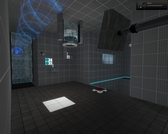
Sunbury Chambers 16
Easy COOP. This map is perfect for beginners and has approximately 40 min game play. The map includes conventional puzzles with cubes, spheres and lasers in PeTI style but also flinge actions and some unconventional puzzle features. The players can proceed non-linear. More screenshots on Steam: http://steamcommunity.com/sharedfiles/f ... =139476387 Packed with 7zip A Walkthrough video and information of how to play COOP on your own are posted in the Comments of this Map.
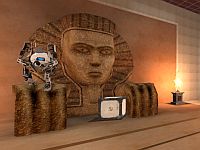

Sunbury Chambers 12
Very easy COOP based on a PeTI map and enhanced in Hammer. Key game play elements: Cubes, lightbridges and laser. Steam: http://steamcommunity.com/sharedfiles/f ... d=90278950 Packed with 7zip

[JFTC] Repulsive Welcome
Hey guys! I'm back with another map in the series, this time its underground! This is my first time releasing an underground map, so maybe its not that good. Sorry. This map is an easy test chamber that tests the Repulsion Gel, nothing else. Enjoy! The .rar file contains 3 maps: -Hard Decision (BTS) [sp_hard_decision_bts.bsp] In this map, you continue from where you stop at Test Chamber 04, at the BTS section of the Enrichment Center. You walk forward and theres two ways you can go. Turn left and go back up to the modern facility or turn right and go down underground. You choose! -BTS to Underground Train Ride (Tunnel) [bts_underground_train_ride.bsp] You chosen to go Underground, now you must ride the train to the Underground section of the Enrichment Center. The station design is similar to Singapore's train station design. -Repulsive Welcome (Underground) [sp_u_repulsive_welcome.bsp] Welcome to the Underground facility! Now you must complete tests to go back up to the modern facility for your cake! Good luck! IMPORTANT NOTE: -There are 3 maps in the .rar file. Play "sp_hard_decision_bts.bsp" first. After completion, the map will change by its own, no scripts involved as I used point_clientcommand. -Remember to drag the materials from the materials folder too! It contains alot of stuff. -The fizzler in the right room acts as the same as a Laser Field (or Discouragement Field). It'll kill the player upon contact with it. Difficulty: Easy Size: Medium Date: Somewhere in 1940 Testing elements involved: -Repulsion Gel -Nothing else Remember to comment and rate this map! Give me feedback and how I can improve in my next map. Blindruns and walkthroughs would be very much appreciated! Have fun and enjoy the map!
![[JFTC] Repulsive Welcome](/downloads/screenshot/thumbnails/2225_rsz_2sp_u_repulsive_welcome.png)
Old to New
a pack of three maps 1- old test chambre 2-aperture innovation test chambre 3- clean test chambre
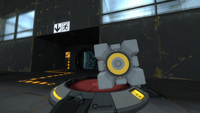
PLEASE DELETE
EDIT: due to recent player critique, this map is being deconstructed for later review. please delete this page accordingly

[JFTC] Flinging with Portals (Test Chamber 03/19)
Hey guys! This is the third test chamber of "Journey of the Cake"! This test chamber requires a lot of flinging, so be prepared! IMPORTANT NOTE: I reduced the total number of test chambers from 48 to 19. Since most of you said that 48 is too much. Size: Medium Difficulty: Easy (but frustrating if your cube keeps fizzling) Testing elements involved: Aerial Faith Plates Excursion Funnel Basic elements (Cube dropper, switch, button) Improvements: -Observation Rooms -Lightings -Reduced total test chambers to 19 -Autosave after the elevator -Harder puzzles NOTE: Ignore the test chamber sign on the right. Tell me what you think about this map! I'll then try to improve in my next map. Comment and rate it! Post your blindruns and walkthroughs here too! I really appreciate it!
![[JFTC] Flinging with Portals (Test Chamber 03/19)](/downloads/screenshot/thumbnails/2153_rsz_flingingwithportals.png)
Industrial Flower Tower
Sometimes water is more useful than what is first perceived. How is your green thumb?
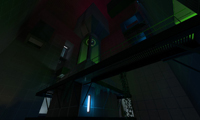
Challenge 3
This is the third challenge. It was originally made in the puzzle creator in portal 2, and then i added some improvements in the hammer editor. I hope you like it.
sp_stickycubes
This is a short puzzle designed as my first map in the Source engine. I did a lot of experimenting with this and the learning process has been incredibly fun. Stickycubes utilizes gel and excursion funnels, it is also mapped around the "clean" theme as described by the Portal 2 mapping wiki. All feedback is welcome. SCREENSHOTS: http://www.jimo.co.uk/maps/portal2/sp_s ... bes001.jpg http://www.jimo.co.uk/maps/portal2/sp_s ... bes002.jpg http://www.jimo.co.uk/maps/portal2/sp_s ... bes003.jpg KNOWN BUGS: - The sign says "00". I am going to wait for the VPK system to be fixed so I can implement this properly. - Sometimes one of the cubes can get stuck in the spawner if the excursion beam is right underneath it. CHANGELOG: Version 1.1: Added indicator lights for the gel. Version 1.2: Corrected turret placements to prevent them from getting stuck.
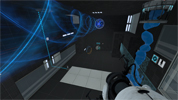
Bad Day
A normal day in the aperture science enrichment center? Or is it going to be a bad one? Features: -Jumpenturrets (My new use of Frankenturrets) -Funnels -Fizzlers -Faith Plates -Buttons -BTS area and the intro of an intresting story...