Portal 2

Trigonometry
Uploaded by Constructor#8 · Jun 24, 2011
23 comments · 3.5 (23)

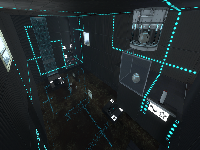
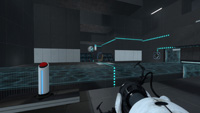
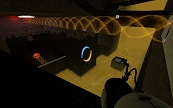
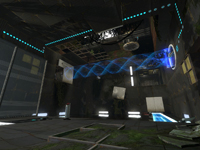
Part 2 in the Alien Discovery of Aperture series. A study on human perception of motion and quickness of instinct. You make your way through 4 fluorescently lit chambers designed without failure or common errors in mind. Refined version of trigonometry with a fourth chamber.

Trigonometry
Advertisement
Registered users don’t see ads! Register now!
Tic Tac Toe
Uploaded by 7Voo · Jun 03, 2011
6 comments · 5.0 (3)

Important: I forgot to lock the buttons for every turn . . So there will be an update on that. Also when you and your partner ping the same field at the same time, it could disappear. Maybe I'll just let the winner start the round and for the first time the host. --------------------------------------------------------------------- Features: - Ping tool support. - Button support. - Fields rotate on selection. - Winner recognition. - Draw recognition. - Loser gets destroyed. - GLaDOS says at the beginning "You should both be familiar with the game of Tic-Tac-Toe." --------------------------------------------------------------------- Update V. 1.4 - Added draw recognition. - Reworked the level design. - Players now only can select one field per turn. - Added winner indication if you use the buttons. (I forgot that in 1.3) - Improved stuff. You now have to be both in your little areas, to get the game started. If blue goes into oranges area the indicator light will turn red and an error sound will appear. Everything should work fine now. Please report bugs, if you find any. Alternative Download: http://solidfiles.com/d/3577/ --------------------------------------------------------------------- Quickfix V. 1.3_01 - Fixed one of blues winning combinations not appearing correctly. --------------------------------------------------------------------- Update V. 1.3 - The winner now gets indicated. GLaDOS says the name of the winner, and a game_text appears with "Orange/Blue won." The loser gets destroyed, if he stands in his area. All the fields around the winner fields will be closed. And you have to press the reset button to start a new game. - Design improvements The next and probably the last update will fix the last issue on the ToDo list. --------------------------------------------------------------------- Updated the video. --------------------------------------------------------------------- Update V. 1.2 - Fields flip on selection like in the calibration course. - Fixed the last issue from V. 1.1 --------------------------------------------------------------------- Update V. 1.1 - Added suport for the ping tool. - Made the fields bigger. - Optimized the light. - Added external button sounds, because they didn't made any sounds in coop. (probably because they're in a wall) Issues: The ping triggers don't have a parent attribute neither a disable input. Thus the host can override oranges fields via the ping tool. --------------------------------------------------------------------- I just made a little map where you can play Tic Tac Toe! There are indicator lights, to see who's turn it is, and a reset button in the middle. Screenshot [old]: http://steamcommunity.com/id/7Voo/scree ... 0740775103 Screenshot [new]: http://steamcommunity.com/id/7Voo/scree ... 0765998753 Video [outdated]: http://www.youtube.com/watch?v=vteM-DzbzqI Make sure you stand right in front of the button you want to press. Otherwise it could happen, that the button below or above gets pressed. Todo: - Make the player only press one button on his turn.

Tic Tac Toe
Portal 2 Emancipation Grid Example
Uploaded by Nacimota · Apr 30, 2011
4 comments · (No ratings)

Example map demonstrating the basics of emancipation grids (fizzlers) in Portal 2. Includes both source vmf and compiled bsp

Portal 2 Emancipation Grid Example
Custom "pedestal button" with 4 skins + Example Instances
Uploaded by josepezdj · Feb 24, 2014
25 comments · 5.0 (4)

This is a custom model based on the stock "pedestal button" but with 4 skins: I just decompiled the stock model and edited the .QC file to recompile it again with more textures. This was requested to me by Srs Bsnss and I thought somebody else in the community could be interested in it as well. This is a pack that includes the following: 1. A custom model based in the stock "pedestal button" (switch.MDL) with 4 skins instead of 2: - Skin 0 = Clean button OFF (blue lines) - Skin 1 = Dirty button OFF (blue lines) - Skin 2 = Clean button ON (yellow lines) - Skin 3 = Dirty button ON (yellow lines) 2. A custom animated texture with 4 frames to match the button type and state. These are: Clean ON and OFF, and Dirty ON and OFF. 3. An instance called "custom_prop_button.vmf" emulating the prop_button Portal2 entity, where you can select the value of the following variables: - Button_reset_delay = you can enter whatever float value (a number with decimals) or integers. This value determines the time for the button to reset and go back to the initial state. - Button_type = "0" is the clean one while "1" is the dirty model. Note that the pedestal skins will change as well accordingly in this instance - Play_timer_sound = "0" means not to play it, while "1" means to do. It will play or not the classical "tick-tack" sound. - Prevent_fast_reset = "0" means no, and "1" means yes. This will prevent the player from pressing the button again while it's still into the "reset_delay" time set before. 4. An example map in the case you need help with setting the button up into hammer. 5. The decompiled files (the .QC file and the .SMD files) for anyone interested in changing something in the model or adding even more skins and whatnot... INSTRUCTIONS - There's a folder inside the zipped file you downloaded called "portal 2", this folder and its structure inside is exactly as the one you have in your computer, so just copy the folder "portal 2" on the "Steam/SteamApps/Common" folder, and everything will go to its right place. - The custom button model is named "switch_4skins.mdl" and it is located under /models/props/ folder - The model's textures are located into /materials/models/props/ folder - The custom texture jose_button_frame_alpha(.VMT and .VTF) for the pedestal base goes into /materials/josepezdj/detail/ folder - The instance with the example button is into sdk_content/maps/instances/josepezdj/ folder - The example map (.VMF and .BSP) into sdk_content/maps/ folder NOTE Don't forget to give it a NAME to your func_instance into hammer when you use the custom instance "custom_prop_button.vmf" for its I/O to work properly Do not hesitate to ask me anything related to this content. Cheers! jose ChangeLog v1.1 - I improved the button textures tweaking a bit the alpha channel in order to get the right self-illumination - I added the corresponding (multi-framed) texture for the button's pedestal itself including the 4 skins/frames (clean-dirty / on-off) v1.2 - I added 2 more variables to the button instance: the "prevent fast reset" feature, and the possibility to play the timer sound.

Custom "pedestal button" with 4 skins + Example Instances
Brain Exercise
Uploaded by StasConstantine · Mar 18, 2012
13 comments · (No ratings)

An easy single player map. Includes Laser, Hardlight, Turrets, and Faith Platform. Have Fun! Please Point out any flaws, bugs, mistakes, "ninja" ways to solve it. Added few updates: bug fixes.

Brain Exercise
Take Those Cubes Read Description
Uploaded by guckzurlinse · Oct 27, 2011
15 comments · 1.2 (4)

This map Is Updatet And doubled in size and chambers its new name is cube collector with 4 chambers and better textur download it enjoy

Take Those Cubes Read Description
SPLIT
Uploaded by baca25 · Jun 24, 2011
13 comments · 5.0 (15)

This is my second map that I have ever created, for anything. It separates each partner from each other, and they must help each other out to advance through the map. It is not the most challenging map because this was mostly to test new things I am learning in the editor, and this is me trying to implement them into my maps. Play instructions: Unzip the map from the archive and place in your Steam/steamapps/common/portal 2/portal2/maps folder. Both players have to downloaded the map. Start a normal co-op game and whoever is hosting (the Blue Robot) type in "changelevel mp_coop_split" in the console (which is activated by the ` key under ESC.

SPLIT
Revenge of the Angry Turrets
Uploaded by MasterLagger · Jun 03, 2011
7 comments · 4.3 (7)

(NEW: BSP File Now Included) Let me know if this map doesn't work. And please rate this also so I get an idea of what you think. This is my very first map and it includes turrets. This map has a lot of turrets hiding in areas but not impossible to spot. This map also has a Hard Light Bridge, Thermal Discouragement Beam, Thermal Redirection Cube, and the Excursion Funnel. BTW you can crouch under the Hard Light Bridge. There are also a few hint pictures on walls in the map that that give you an idea what you can do. Have fun!

Revenge of the Angry Turrets
Portal 2 Hard Light Bridge Example
Uploaded by Nacimota · Apr 30, 2011
4 comments · (No ratings)

Example map demonstrating the basics of hard light bridges in Portal 2. Includes both source vmf and compiled bsp

Portal 2 Hard Light Bridge Example
Advertisement
Registered users don’t see ads! Register now!
Lesson 0
Uploaded by Random · Mar 18, 2012
27 comments · 5.0 (15)

Lesson0 I wanted to take a break from my ongoing project, so this one is different from my usual style. This is one short puzzle, but it is meant to be more challenging than the average map. The intended solution involves a maneuver I haven't seen used before in Portal 2, and I want to see if people solve it quickly. That said, the map never requires anything like exploits or crazy ninja skills. You will need a decent reaction time, though. Let me know of any bugs, reasonable exploits I missed, or anything else. Screenshot 1 Screenshot 2 Screenshot 3 Updates: Mar. 19: Removed unintended portal sniping solution. I would urge you to try again if your solution involved sniping past glass. Mar. 28: Made things easier to execute. Apr. 1: Removed another exploit caused by previous update. Apr. 8: Removed exploit pointed out by Jepp. Made in two days. It isn't as detailed as my upcoming maps.

Lesson 0