Portal 2
Hub - Padlocks and Puzzles
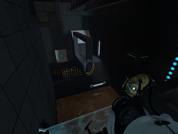
Put the spheres into the sockets. Couldn't be simpler. Unfortunately I'm not sure exactly what to upload and am running short on time, so everything with a file name even remotely similar to my map is included in the .rar. I also unfortunately had to cut out one puzzle due to time. After the contest I'll be uploading a finished, revised version with fixed up puzzles. If you enjoy it, come back for a better version! (Also one without bugs, as I'm sure there will be a few.)


uuk's portal2 map contest sp map
uuk - single player - portal2 map contest entry.
Sp_Aperture_Syndrome
FIXED version of the original map. Updated where the jump between chamber 2 and 3 was impossible.
[SP] Time Arch
This next test may contain trace amounts of time travel. Use the Apeture Science Quantum Time Arch to travel to the future to retrieve the cube needed to solve the test
Stairway to Turret Heaven 1.1
Here's my submission for the summer mapping initiative. Couldn't get through the server for the deadline so I'm just uploading it in the general category. A clean/BTS map, with low-medium difficulty puzzles. Most seasoned mappers will probably notice that this hasn't been properly optimized; I apologize, I just ran out of time. Anyway, I had a lot of fun playing with the visual styles, and hopefully you guys have a bit of fun playing it! 1.1 Update: - Fixed two design errors that allowed the player to bypass the turret area completely - Minor graphical enhancements to turret room - Fixed a design error that allowed the player to use an excursion funnel to get outside of the playable map area - Full VIS complile Known problems: - Some players might want better indicator decals for the first area. I didn't add these but if someone wants to put them in, the .vmf is available. - It may be possible to fall outside the playable area without triggering the player death in the first area. This is most likely near the outside of the factory area. I was unable to replicate this myself and so didn't do another compile yet, but if there's any reason to make a v1.2 this will be on the list of things to fix. - There is an erroneous 'nodraw' texture visible in the elevator shaft. Only noticed after the last compile; this too would be fixed in 1.2 if necessary. If anyone wants to use the .vmf, feel free! -Gadz
diversity testing
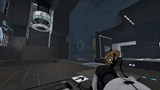
This might not be accepted, because the clock on the site was ahead, and it refused to upload at first. Extra note: After finally being able to TEST it, I've discovered that, shockingly, the only thing completely broken is a single laser, and the unimportant game end effect. Of course, it's still technically broken, but I had to try to submit thirty seconds before the deadline. It's also riddled with physics bugs, as a bonus. The first two tests work perfectly, though, and a lot of things that I expected not to, do work. There's a whole two working puzzles, even. Too late to fix anything, though. SO YEAH, the end is broken. A laser doesn't turn on, and a door won't open. The part before that, will take a billion tries because of a bug with trigger_push. I can't fix it past the deadline, so it's stuck like that. You've been warned.
Vertigo
New update released: -Fixed lighting issues on some moving panels -Changed design of first chamber around a bit -Fixed glitch in second chamber in which you could skip a part of the puzzle by jumping to the tractor beam -Moved some areas around in the second chamber to make them easier to see -Changed design of second area to prevent skipping through some of the puzzles -Fixed issues with the checkpoint between the two chambers -Improved lighting Special thanks to Marlow for his coop airlock instance which appears to be working a lot better than the weird setup I had for the checkpoint before. In this test, you and your partner in science will be presented with a wide array of testing apparatus, such as light bridges, tractor beams, gel, and thermal discouragement beams. Have Fun! Any feedback would be greatly appreciated so let me know what you think about the map and if you run into any issues that I might have overlooked.
The Curious Conundrum
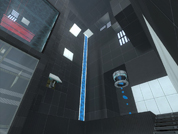
What a curious conundrum you find yourself in, Hmm?
Variety - Coop Map
A map made up of various game mechanics. This map is for the game-play value and less of the looks. It still is a good looking map though. MAJOR FIX: The rar has been fixed and contains the real map. Unfortunately this error caused by late night stress may have just cost me the competition. Fix: Forgot to turn paint on in properties.
Companion Retrieval Run
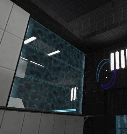
Retrieve your faithful companion cube, and make your escape, at a price.