Browse Downloads
Recently active files on the download database.
There is something inside the walls - Black and White
This is my first map. It is part of a Mappack i make. Basicly i uploaded this map to get some feedback about the difficulty and visual aspects like the lighting etc. so feel free to leave your comments. The difficulty should be Medium/Hard. Big thanks to everyone here in the comunity, i would have been nothing without you. Also i want to especially thank Patox and Neodyme, my Beta-testers. This map contains a lot of custom stuff, also an own loading screen. To make it work you have to type "restart" into the console after you loaded the map, because the materials are packed into the .bsp. Screenshots: http://imageshack.us/photo/my-images/94 ... reena.jpg/ http://imageshack.us/photo/my-images/13 ... eroom.jpg/ http://imageshack.us/photo/my-images/33 ... amber.jpg/ http://imageshack.us/photo/my-images/84 ... amber.jpg/

Biohazard
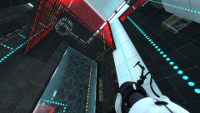
Note: Some of you might be unable to open the ZIP file. In this case it is advised to download 7-Zip and use that to open the file. The ZIP file uses LZMA compression which isn't supported by all of the archive managers. Four chambers and an easter egg puzzle. Can you solve your way through the Left Wing Facility? Easter Egg Hints: - There is a puzzle element that you have to carry with you to one of the rooms. - Check your spawns. Something might be hidden from the eye there. - A modest award awaits.... I think.. Go for it!
The Scientific Basis (medium)
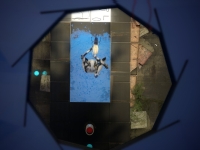
Hello all Portal 2 Fans and Casual players..... It came to my attention i kind of stopped doing maps a while ago, so i had this nice map i didn't finish, so the last week i have finished it, i hope you all like it and rate it. and as always all comments and videos of playing my map is welcome This map is a 3 chamber puzzle, team work is key in this map... so please i hope you all have fun and enjoy my map, thanks LuckyRJ
Storming the Castle
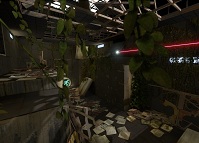
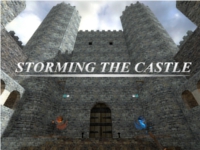
Personality Cores Bruce and Dalton, are introducing Atlas and P-Body to the simulation room. This room will allow for simulated testing in any environment imaginable. Bruce and Dalton have decided to have Atlas and P-Body storm a castle for the simulation rooms first test. These tests range from Hard to Hard. If you are looking to be challenged, then this is a good map for you. Expect to spend a while in the map, and as a reward for finishing the map, you have the option to play with a couple things from my previous map. The creation of this map is the result of my one years worth of mapping experience, since I first released Mind Lock in May of last year. I had never opened a mapping editor before Mind Lock, and for those of you who have played it, and the few of you who have played every one of my maps since, you can see the growth I have gained with each and every map I've released. Without the Thinkingwithportals community, I would not have come this far. In this map I have implemented as well as created custom sounds (with subtitles), textures, and models. Catapults will be a little buggy, just try to stand in the middle of the bowl. Enjoy the map, and as always I would like to receive a lot of feedback in the View Topic section. If you make a video of playing this map, please submit it in the View Topic section as well, I watch every one of them. Play instructions: Unzip the ?portal2? file from the archive and place the portal2 folder in your Steam/steamapps/common/portal 2 folder. Say yes to merging and overwriting everything. It won't mess up your files. Before you start your co-op game type into the console in the main menu ?snd_updateaudiocache?. Both players have to download the files. Start a normal co-op game and whoever is hosting (the Blue Robot) type in "changelevel mp_coop_castle" in the console (which is activated by the ` key under ESC). Thanks to my Playtesters for the havoc they cause when testing this map: That greek guy / Xires / Karmatoe / Hobbax v1.1 - Made hammers slower, Added speed gel signs. v1.2 - Made floor buttons Red. Raised white stones in second room. v1.3 - Made levers unblockable by player. v1.4 - Made catapults a little better. bombs cause less damage v1.5 - Edited catapults (Again). Fixed minor bugs.
The 3D skybox models thread
So you wanted to make a 3D skybox for your Portal 2 map, browsed for skybox models but didn't find any and now you are disppointed. Don't be! This zip-file contains some skybox models that could get you started. Copy the contained folders into the model folder. You can create your own skybox models from the existing models in the game without any modelling experience when you follow these tutorials: 1. Decompile the model you want, as explained by Skotty here. 2. Rescale the model as explained in this tutorial on interlopers.net 3. Compile the new model following Josepezdj's tutorial here. If you do so, let me know via PM or upload the file attached to a reply in this thread and I'll add your models to the zip-file.

[JFTC] Speed Jump Danger
Hey guys! I'm back with another underground map! Now its waaay harder than the first one! This one contains Propulsion and Repulsion Gel! But be careful! One wrong move and you'll fall into the deadly Goo! Difficulty: Medium Size: Medium Date: 1975 Location: Enrichment Sphere 2 Testing elements involved: -Propulsion Gel -Water -Repulsion Gel -Basic elements (button, switch, dropper) -Hard Light Bridge Changelog: -v1.0-v1.1: Added trigger to disconnect player at the departure elevator -v1.1-v1.2: -Added more lights -Added a grate beside the Repulsion Gel platform -Fixed the disconnect trigger -Added a env_instructor_hint -Added autosaves WARNING! SOLUTION VIDEO! ONLY FOR STUCK USERS or users that completed the puzzle! [spoiler]N2LdJZiBCYU[/spoiler] Hopefully you'll enjoy this map better than my first underground map! Remember to rate and comment! Give feedback to what I can improve in my next map! Blindruns and walkthrough/solution videos are very much appreciated! Enjoy the map and have fun!
![[JFTC] Speed Jump Danger](/downloads/screenshot/thumbnails/2242_rsz_1sp_speed_jump_danger.png)
Singing Turrets PTI Instance
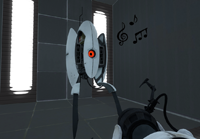
These instances replace the PTI turrets so when they deploy, they will sing to you! This can be ideal if you want to put a little easter egg into a PTI map, or just for fun. The turrets can be repositioned from behind, but once they see you, they cannot be moved. Readme included for installation help. Anyway, I originally made this as a fun little thing to mess around with, but a few friends requested a download, so I decide to upload it here if any of you guys want to use it.

Memory Loss - Part 2
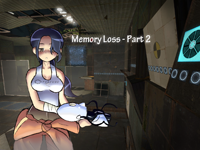
Welcome to Memory Loss 2 Trailer - http://www.youtube.com/watch?v=xEgu2zE40Lc Me on steam - http://steamcommunity.com/id/12URMarty/ Explore using your survival skills in an attempt to find your way out alive. Just be sure not to let hallucinations overtake you, as there is no telling how it will end. History Version 1.0 Released Version 1.1 Fixed some particle effects Version 1.2 Fixed cheating in some areas, fizzler in second room. Version 1.3 Added auto save points Secrets you can find. Find 4 glowsticks Find the <3 Find the key Find 4 turrets from the future. Find the hidden picture. Something need to be fixed ? Drop a comment below.* Thanks, hope you like the map! -Marty
Wall Tile Randomizer
Ever get tired of cutting up your walls to create tile variation? Wish there was a way to automatically generate randomized walls? Now there is! Just extract the 7z, run WallRandomizer.exe, and either copy the contents of the output vmf or use it as an instance. --NOTICE-- You WILL need to install Python 3.3, available at http://www.python.org. The WTR will NOT work without the dlls from it, which I cannot distribute. Features: -Customizable size -Either white or black wall -Clean or dirty variants -Enable/disable of certain tile sizes -Automatic texture alignment Please note that this is in very early testing - just something I whipped up in an afternoon. The algorithm is also a tad slow and can lead to some odd results. Please leave feedback about any bugs you may encounter. Changelog: v1.1 -Fixed texture alignment -Added clean/dirty variants -Added input checks (no more putting "fish" as the width ) -Improved and optimized randomizer algorithm -Added texture arrays, making it possible in future versions to add a text file to change textures -Other miscellaneous bugfixes v1.1.1 -Fixed clean wall bug (thanks protoborg and tile) v1.2 (A day late and a dollar short, sorry) -Fixed side alignment issues -Upgraded from Python 2.7 to Python 3.3 -Replaced crappy 15-minute-implemented brush writer with PyVMF