Portal 2 (Other files)
Miscellaneous Portal 2 mods, assets, tools, and non-map downloads.
Elevator Videos Fixed - Brainstones Hardcoded Instances v1.1
EDIT(IMPORTANT:) I have just discovered (thanks to sleter) that the elevator videos behave differently AGAIN when your map is uploaded to the workshop. (Damn VALVE) The Problem is now fixed. I have also merged the arrival logic and the arrival base as I have merged the departure logic and the departure base; that was unfortunately a must because of the nature of this very annoying problem. Currently you can have entry_elevator_UP and exit_elevator_UP in your map. Entry_elevator_DOWN and exit-elevator_DOWN will be added shortly. You MUST redownload this instance, because your elevator video screens will always play the default video as soon as they are uploaded to the workshop. (Unless you delete the entity "video_script" inside your logic elevator instance. In my custom logic elevators, this is already the case, so you will probably have this problem only in your arrival elevator.) Thank you for your understanding. ---------------------------------- Aren't you tired of VALVE destroying elevator videos with the new DLC? Aren't you tired of editing scripts for map transitions? And then packing them into bsp, what doesn't work? Do you really expect every under-age-12 downloader to be smart and not lazy enough to copy several of your scripts in the right location of his PC? Do you want to display chapter titles? Do you sometimes wish to have free choice over whether your Portal Gun can shoot the orange Portal and whether it carries PoTAToeS or not? Do you want a map transition that works, when the player si not in the PeTI? All this is now accesible to you, thanks to Brainstone's Hardcoded Instance Collection --------------------------------------- 1. BrainstoneEntryTransition Delete the standard arrival_departure_transition for this to work. Possibilities to choose: $canShootOrangePortal $PortalgunHasNoPotatoe $chapterTitle $chapterSubtitle $chapterTitleColour (e.g. 255 100 255) $chapterSubtitleColour $EnableChapterTitle $EnableChapterSubtitle 2. BSHC_entry_elevator_UP $video 100% functioning 3. BSHC_exit_elevator_UP $video $newmapname $disablePTIVoteDiag (If you are playing in the PeTI AND want to vote, there is no other option than let the player click the "next map" button to create a transition. However, this always transitions the player to $newmapname when he plays not in PETI)

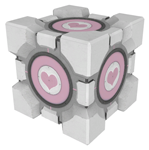
Singing Companion Cube!
One big problem with the PTI - the companion cube DOES NOT SING! This mod fixes that. Just install it in [portal 2]/sdk_content/maps/instances/p2editor and you're good to go!
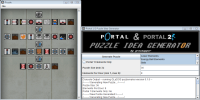
Portal 1/2 Puzzle Idea Generator
This program generates element templates that can help give you grounds for a puzzle. It doesn't generate puzzle themselves, but gives lists of elements chosen at random you can use to give your brain ideas for puzzles. See topic for more details.
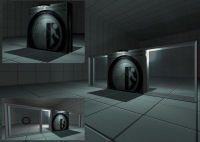
TSL_AutoDoor
This Autodoor Func_Instance as 4 optional Sises, extended with Windows, and 1 without winodws. UPDATE: New future build in, for Gameplay options: Lights On/Off IO_Proxy, and you can start in the dark. The Sises are : Only the door : 128x144x32 With Windows : 128x256x32, 128x384x32, 128x512x32 without Shoot Hole and 128x512x32 with Shoot Hole Read the document i included in the rar file for the paremeters and of settings and other explanations. Know Problem : Light indexing if you use my door and other light entities (not the Glass/Wall Lighting), but read the document i included. Issues: Non atm Fixed: - Lights by rotating the Func_Instace will be fail on 1 or both Window Sides its fixed as good as possible. If users still experians error on the lights please notify me. Requests: Door wide bringing to 128 instead of the 144 (by lpfreaky90) and will be looked in. (See the Topic for my Reaction) KEEP IN MIND TO REMOVE OLD FILES BEFORE YOU COPY THE NEW FILES! Regards Teddybeer
My Little Portal Project: Rarity Portal gun.
The third portal 2 gun by my little portal project! the handheld Fabulous device! bigger picture: http://oi41.tinypic.com/11b2byg.jpg twilight portal gun: My Little Portal Project: T. Sparkle Portal Gun pinkie pie portal gun: My Little Portal Project: Pinkie Pie Portal gun
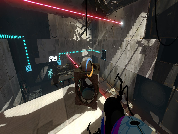
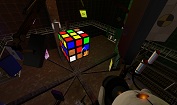
Portal 2 - Rubik's Cube
I stopped to wonder one day, "Can I make a Rubik's Cube in Portal 2?". I soon decided that yes, yes I could, and after a great deal of logic work, here I am. The level's a bit crude but after all this isn't about the level, it's a about a fully functioning, fully solvable Rubik's Cube in Portal 2. Let me know what you think!
My Little Portal Project: T. Sparkle Portal Gun
My little portal project presents: Twilight sparkle portal gun! this is our first creation! there is a readme within the file so make sure you read it! re: sorry guys here is a better picture http://oi40.tinypic.com/311kivn.jpg
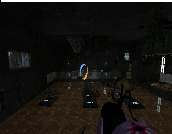
Time Machine Instances
here are time Machines, two themes modern and antique.

Basic mod for playing .vpk files
You can play games distributed as .vpk files by installing them in the addons folder of a mod. This is a bare bones mod you can install if you don't know how to make your own. You can't use the in-game menu to start a remote coop game. Apparently, the Steam servers have a problem connecting mods. You can do it from the console, using the following commands: On the host machine: map
Dynamic Breaker-box
I saw a request on the forums for how to make a circuit breaker box with a lever, so here's a quick and dirty version. a logic_relay is pre-set to toggle on and off with USE on the lever. Red and Green sprites included (for on and off signalling)
