Portal 2 (Other files)
Miscellaneous Portal 2 mods, assets, tools, and non-map downloads.
TWP Advertisements
These are a number of advertisements which have been made by TWP members for the advertisement of our site in game! Well done to everyone who made some awesome stuff. Files included are: Ratman TWP scrawl by zivi7 TWP logo model by Skotty Elevator Animation by PixeledFace http://www.youtube.com/watch?v=SKUdo14NXZM&feature=player_embedded Elevator Animation by Habzs http://www.youtube.com/watch?feature=player_embedded&v=WlIJv7eUie0 Lab monitors by greyKarel Aperture Posters by Brainstone Elevator instance and script by ChickenMobile For further instructions on how to use these advertisements and place it in your map, look at the relevant ReadMe.txt included inside the download. Make us proud TWP, advertise us!


ML's Angry Hover Turret
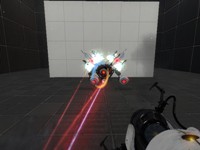
This is my personal version of the scrapped Hover Turret that didn't make it in Portal 2. It floats in the air while tracking the player with a laser and has two turrets equipped that remain motionless (except when firing). The only way to destroy the turrets is to burn them with the laser, picking up the turrets will NOT work. To activate the Angry Hover Turret properly, trigger the logic_relay with a trigger or something. It is best to copy and paste the Angry Hover Turret rather than loading it as an instance. Known issues: 1)While trying to rotate the Angry Hover Turret, the func_tank that tracks the player may end up firing the laser in another direction. When this happens, simply rotate the func_tank (the clip box) 90, 180, 270, etc degrees until it lines up properly. This takes some trial and error testing but it's not a big deal. 2) When using the reflection cube with the Angry Hover Turrets laser beam, sometime the laser will not reflect in it's current position.
Customizable Box Droppers
These box droppers reduce all of the box dropper stuff in instances/gameplay into just a handful of instances. Place a dropper instance, give it the name of a special cube instance, and you're good to go! Note: there's a vscript involved, so using FudgePacker with this is a good idea. The Faith Cube also will glitch unless you have Skotty's Catapult Cube model.
Elevator Videos Fixed - Brainstones Hardcoded Instances v1.1
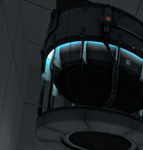
EDIT(IMPORTANT:) I have just discovered (thanks to sleter) that the elevator videos behave differently AGAIN when your map is uploaded to the workshop. (Damn VALVE) The Problem is now fixed. I have also merged the arrival logic and the arrival base as I have merged the departure logic and the departure base; that was unfortunately a must because of the nature of this very annoying problem. Currently you can have entry_elevator_UP and exit_elevator_UP in your map. Entry_elevator_DOWN and exit-elevator_DOWN will be added shortly. You MUST redownload this instance, because your elevator video screens will always play the default video as soon as they are uploaded to the workshop. (Unless you delete the entity "video_script" inside your logic elevator instance. In my custom logic elevators, this is already the case, so you will probably have this problem only in your arrival elevator.) Thank you for your understanding. ---------------------------------- Aren't you tired of VALVE destroying elevator videos with the new DLC? Aren't you tired of editing scripts for map transitions? And then packing them into bsp, what doesn't work? Do you really expect every under-age-12 downloader to be smart and not lazy enough to copy several of your scripts in the right location of his PC? Do you want to display chapter titles? Do you sometimes wish to have free choice over whether your Portal Gun can shoot the orange Portal and whether it carries PoTAToeS or not? Do you want a map transition that works, when the player si not in the PeTI? All this is now accesible to you, thanks to Brainstone's Hardcoded Instance Collection --------------------------------------- 1. BrainstoneEntryTransition Delete the standard arrival_departure_transition for this to work. Possibilities to choose: $canShootOrangePortal $PortalgunHasNoPotatoe $chapterTitle $chapterSubtitle $chapterTitleColour (e.g. 255 100 255) $chapterSubtitleColour $EnableChapterTitle $EnableChapterSubtitle 2. BSHC_entry_elevator_UP $video 100% functioning 3. BSHC_exit_elevator_UP $video $newmapname $disablePTIVoteDiag (If you are playing in the PeTI AND want to vote, there is no other option than let the player click the "next map" button to create a transition. However, this always transitions the player to $newmapname when he plays not in PETI)
FudgePacker 0.4 - With Hammer Intergration.
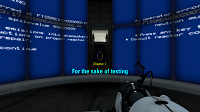
FudgePacker lets you create a list (or several lists) of files to add to your map, and automatically packs the files you want for each map while it builds. You can now choose which lists to load from inside hammer itsself.
Singing Companion Cube!
One big problem with the PTI - the companion cube DOES NOT SING! This mod fixes that. Just install it in [portal 2]/sdk_content/maps/instances/p2editor and you're good to go!
Test Element - Animal King
This test element, for Hammer or the Editor, will throw bombs if it sees you. It needs to be activated by something to start. This also includes breakable walls for the Editor, which the bombs will shatter. Enjoy!
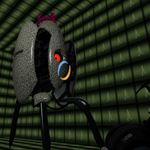
Lp's Fizzlers
This pack contains multiple instances for fizzlers. It also includes textures and instances for death fizzlers. They are combined laserfields and fizzlers! The instances should be self-explanatory Have fun with them! NOTE: if you want to use these textures in your map, make sure you include them in your bsp! Fixed in v2: * An issue with the antique fizzler.
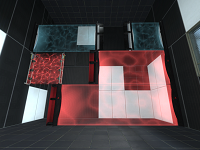
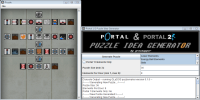
Portal 1/2 Puzzle Idea Generator
This program generates element templates that can help give you grounds for a puzzle. It doesn't generate puzzle themselves, but gives lists of elements chosen at random you can use to give your brain ideas for puzzles. See topic for more details.
Scene Voice Script Package
These are a number of files which you can use to play Valve's scene files for voice lines. You can create your own custom order for the scenes like the way Valve has done it. This example mainly covers coop GLaDOS. If you really want to use a custom scene this is the only way to do it if the Scene Table is personalised for a certain map. I highly suggest you don't go all out unless you are making a mod or a larger map-pack. Check out: https://developer.valvesoftware.com/wiki/Portal_2_VCDs for references of each scene.
