Portal 2
Perpetual Swesting Initiative
A simple, but challenging chamber using just lasers, and my first ever map, made in Hammer. My aim was to produce a chamber that was tricky to do, but simple in terms of what it contained. I also didn't want the user to have to use a knack, luck, or platforming skills. The chamber is based solely on lasers and can be easily solved when you know how. Difficulty: Room 1: Easy Room 2: Peasy Room 3: Lemon Room 4: I DON'T WANT YOUR DAMN LEMONS! All comments welcome. See it in steam at: http://steamcommunity.com/sharedfiles/f ... d=84905140

[Coop] Joint Potential - Act 2
JOINT POTENTIAL - Act 2 (by Skotty) An entry for the Heavy-duty super-mapping super-contest -[ thinkingwithportals.com ]- Two medium-sized puzzles, featuring energy balls and light-bridges. Note: This is part 2 of a set of 2. It is highly recommended that you download 'Joint Potential - Act 1' by Moth [Coop] Joint Potential - Act 1 Thanks to Moth for instances. Installation Instructions: ------------------------------------- Place the BSP file in the following folder: steam/steamapps/common/portal2/portal2/maps start a new cooperative game, and from the lobby, type the following console command: changelevel mp_coop_joint-potential_Act-2
![[Coop] Joint Potential - Act 2](/downloads/screenshot/thumbnails/2283_portal2%202012-08-06%2004-47-28-934.jpg)
[Coop] Joint Potential - Act 1
JOINT POTENTIAL - Act 1 (by Moth) An entry for the Heavy-duty super-mapping super-contest -[ thinkingwithportals.com ]- Three small to medium-sized puzzles, plus an additional BTS mini-puzzle Note: This is part 1 of a set of 2. It is highly recommended that you download 'Joint Potential - Act 2' by Skotty JOINT POTENTIAL - Act 2 (by Skotty) Thanks to: Skotty and Chicken Mobile for instances Brainstone for the TWP poster Myeka for the final chamber Skotty for custom models Installation Instructions: ------------------------------------- Place the BSP file in the following folder: steam/steamapps/common/portal2/portal2/maps start a new cooperative game, and from the lobby, type the following console command: changelevel mp_coop_joint-potential_Act-1
![[Coop] Joint Potential - Act 1](/downloads/screenshot/thumbnails/2280_LgkkG.jpg)
Unforgiving
My entry for the 2012 mapping contest. It was a long and hard battle against time, but i have finished it,and i am proud of myself. There were going to be voice lines, but the whole process of adding custom sounds was being finicky, and i was running out of time. So instead, i used a large amount of "Game_Text's", but i will re-post the map when the sounds are working. --Credits-- Myself, Calvin Dvorsky mapped the entire level, came up with most of the test ideas, and well, it's my map Lucas Dvorsky, my awesome bro, for moral support and recording the voice lines which aren't in this version My mother, for lots of support and encouragement to continue in hard times William Jagger, my best friend, for the idea to use Slow Motion, he also was going to be the the voice actor, but he left on vacation without notice... ...Oh yeah, did i mention that I'm 12 years old?

Compulsive (Version 1.0)
Due to some feedback i decided to release this version of my map in work in progress until i have fixed and sorted a few things out in it. this is a 3 room coop map with some mixed elements. although i find everything to be ok, i need to sort out my 3rd room and make it more better, some dont like platform jumping aspects and neither do i, but i do think this map is pretty good, i will be sorting the skybox out in this and sorting a few other things out too what others have commented on but i would also like to thank Nautik for his help in leading me in the right direction in making better maps hope you like this work in progress release version all comments will be needed so that i can make further edits before i release the final product Thanks LuckyRJ

Forest Temple
I decided to bring a fantastic puzzle game together with an incredible puzzle game to make something that would (hopefully) turn out spectacular -- you can be the judge of that. This is a full-scale recreation of the Forest Temple from the Legend of Zelda: Ocarina of Time with Portal 2 puzzles scattered about. My goal was to make the map in such a way that a player with only knowledge of Portal 2 mechanics could play the map just like any other, while Zelda fans would feel that their surroundings were familiar. I've uploaded the map here but it is also available on the Workshop, and there you'll find screenshots, insider tips, and the change log: http://steamcommunity.com/sharedfiles/f ... d=86505390 Now with a run-through video! Included in the interest of helping the hopelessly lost: (Note: SPOILERSSSSS!! Don't watch it. Unless you like eating spoiled vegetables, in which case I would contact a physician) http://www.youtube.com/watch?v=pBE2RbeZDs4
[JFTC] Speed Jump Danger
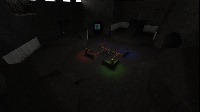
Hey guys! I'm back with another underground map! Now its waaay harder than the first one! This one contains Propulsion and Repulsion Gel! But be careful! One wrong move and you'll fall into the deadly Goo! Difficulty: Medium Size: Medium Date: 1975 Location: Enrichment Sphere 2 Testing elements involved: -Propulsion Gel -Water -Repulsion Gel -Basic elements (button, switch, dropper) -Hard Light Bridge Changelog: -v1.0-v1.1: Added trigger to disconnect player at the departure elevator -v1.1-v1.2: -Added more lights -Added a grate beside the Repulsion Gel platform -Fixed the disconnect trigger -Added a env_instructor_hint -Added autosaves WARNING! SOLUTION VIDEO! ONLY FOR STUCK USERS or users that completed the puzzle! [spoiler]N2LdJZiBCYU[/spoiler] Hopefully you'll enjoy this map better than my first underground map! Remember to rate and comment! Give feedback to what I can improve in my next map! Blindruns and walkthrough/solution videos are very much appreciated! Enjoy the map and have fun!
![[JFTC] Speed Jump Danger](/downloads/screenshot/thumbnails/2242_rsz_1sp_speed_jump_danger.png)
PTI_polarity_transition
This is a 2 Room Testchamber created by using only the PTI for the Map and Hammer f?r the Coop-Entrance and Exit. Once the first Room is solved, there is a shortcut to the second Room for the case that you should die. GLaDOS: "And you will die for shure" Rynax: "shhht, shut up GLaDOS. Guys, i believe in you!" Hope you enjoy the Map with your Partner and leave me some feedback. I am looking forward for your Report. GLaDOS: "I am looking forward to your failure"
Hub Mission Beta - [WIP] - [Coop]
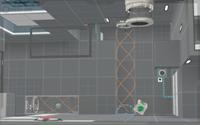
Hub Mission Open Beta ### Hub Mission is a great mission and equipped with many special effects co-op map where you have to think together. You will first spawn in a sort of maze, then are you in a huge factory of apeture science. And from then on it is, come on! Hub's mission is still in beta until now, the factory was worked out and the spawn. But as yet there is no real test, so we have opened the Open Beta. Help us find bugs, so we can resolve this quickly and it finally comes to the test! A changelog can be found in the readme in the download, it would be necessary if you let us come back plenty of comments. Have fun!
![Hub Mission Beta - [WIP] - [Coop]](/downloads/screenshot/thumbnails/2197_hubmission_thumbnail_beta.png)
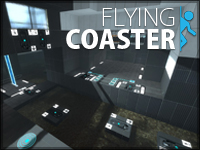
Flying Coaster
-!- NOT A PUZZLE. -!- This is a coop ride. I've played some fun faithplate coasters made in the PTI editor and thought it would be fun to have a coop one to ride with your friends. So here it is, enjoy it for what it is, the duel track layout made it shorter then the single player versions could be, but I still think its worth it. Notes: To start the ride both players need to stand on the faith plates at the same time and stop moving to start the countdown. Its very specific because the timing is required. Also, the faith plates don't activate until Cave Johnson is finished speaking. Once you have started the countdown DO NOT USE YOUR KEYBOARD MOVEMNT KEYS (WASD). You may look around all you like, use the mouse, and fire portals. Screenshots: http://www.nautikdesign.net/portal2maps ... ize_01.jpg http://www.nautikdesign.net/portal2maps ... ize_02.jpg http://www.nautikdesign.net/portal2maps ... ize_03.jpg Video Play-through: http://www.youtube.com/watch?v=8W0y5irCpk4 Changelog: v0.1 - Initial Release